PlayStation Set-up
Set up your PlayStation™ game console according to the instructions in its Instruction Manual. Make sure the power is off before inserting or removing a compact disc. Insert the Rally Cross disc and close the CD door. Insert game controllers and turn on the PlayStation™ game console. Follow on-screen instructions to start a game. Console Top View
Console Front View
Introduction
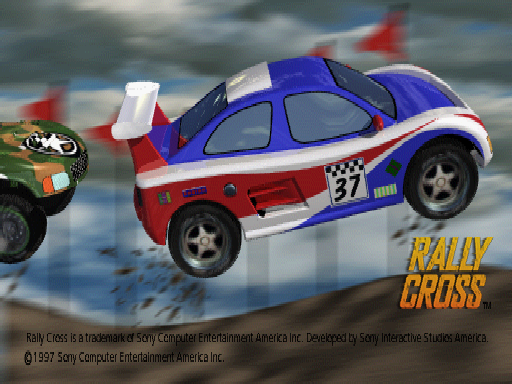
Rally Cross™ is a game of control and speed. Race your car on snow, ice, or sand. Plow through mud and streams, fly over jumps and mountain tops. Six challenging courses with intense terrain will test your nerves and build your character. Trade paint with other race cars to run them off of the road or cause end over end crashes.
Learn how to maneuver your race car for the best results. Use power slides to take turns at high rates of speed. Use your rock controls to get your vehicle back on its wheels after a nasty wipeout. After nailing a wall, learn to slam your race car into reverse, do a 180 and slam it back into first to get back on your way. Finish the race in first place and win the 1997 Rally Cross World Championship.
Course Map
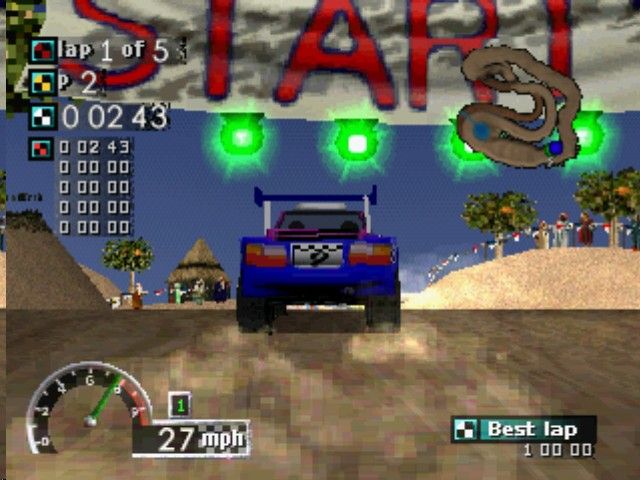
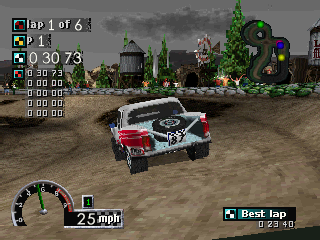
The course map allows you to view the course and its upcoming hazards and shortcuts. Use the map to view the location of each race car and how and when to use the shortcuts to your advantage. The color of the dot represents the color of your race car.
Best Lap
Displayed in the bottom right portion of the game screen is the time of the best lap completed during the competition.
Race Standings
When a season race is completed, race standings will be shown with the finishing position and finishing time of cars in the race.
•
Press the button to exit this screen.
Course Record
If your car finished the race with a course record, enter your racing name as the course record holder. •
D-pad down/up, left/right to enter your racing name and press the button to exit the screen. Season Standings
Season standings will be shown at the end of each season race. The standings are based on the total number of points received for each finished race. See Scoring for more information on points received for finishing position. Your goal is to finish the season with the highest point total among the racing field. Save Record Times
If your car finished the race with a course record, you can save your record time to a memory card.
•
Insert the memory card, D-pad down/up to Yes or No and press the Ⓧ button.
•
To save a record, choose an open slot on the memory card and press the Ⓧ button.
•
When the record has been saved successfully, press the Ⓧ button to exit the screen.
Save Season
At the end of a season race, you will have the opportunity to save the current season to a memory card.
•
Insert a memory card, D-pad down/up to Yes or No and press the button.
•
To save a season, choose an open slot from the memory card and press the button.
If you plan to overwrite a previously saved season:
•
D-pad down/up to Yes and press the button.
•
Choose Yes again to overwrite the file.
•
When the new season is saved, press the button to exit the screen.
Continue Season
At the end of each season race, choose whether to continue racing or end the season competition. •
D-pad down/up to Yes or No and press the button.
Scoring
In a season competition, the object is to finish the season with the most points. To receive points for a race, you must complete the race in the first, second, or third position. At the end of the season, if you have obtained the most points, you will be recognized as the Rally Cross World Champion for 1997.
Pause Menu
During the course of the race, you can press the Start button located in the middle of your controller to pause the action and choose from the following menu items:
Resume
When you have completed altering the menu options, choose resume and press the button to resume the race in progress.
Camera
Selecting Camera allows you to dictate the location of the camera and how the race is viewed. Press the ☑ button and choose from the following options:
•
In Car will give you a view of the race from the driver's seat.
•
Close, Medium, and Far will give you a view of the race at different distances from behind your race car.
Sound Volume
Select the Sound Volume menu option and use the D-pad left/right to adjust the sound volume of the race.
Music Volume
Select the Music Volume menu option and use the D-pad left/right to adjust the music volume of the race.
Restart
Selecting Restart will bring up the Confirm Restart Menu. Select Yes to restart the race or No to continue.
Quit
Selecting Quit will bring up the Confirm Quit Menu. Select Yes to quit the race or No to continue.
Setting up the Game
From each menu, use the
.png)


.png)





.png)