Season Standings
Season standings are shown at the end of each season race. Standings are based on the total number of points received for each finished race. Your goal is to finish the season with the highest point total among the racing field. Pro Season Standings
Save Record Times
If your car finished the race with a course record, you can save your record time to a Memory Card.
•
Insert the Memory Card, D-pad Down/Up to Yes or No and press the button.
•
To save a record, choose an open slot on the Memory Card and press the button.
•
When the record has been saved successfully, press the button to exit the screen.
Save Season
At the end of a season race, you will have the opportunity to save the current season to a Memory Card.
•
Insert a Memory Card, D-pad Down/Up to Yes or No and press the button.
•
To save a season, choose an open slot from the Memory Card and press the button.
If you plan to overwrite a previously saved season:
•
D-pad Down/Up to Yes and press the button.
•
Choose Yes again to overwrite the file.
•
When the new season is saved, press the button to exit the screen.
Continue Season
At the end of each season race, choose whether to continue racing or end the season competition. •
D-pad Down/Up to Yes or No and press the button.
Scoring
In a season competition, the object is to finish the season with the most points. To receive points for a race, you must complete the race in the first, second or third position. At the end of the season, if you have obtained the most points, you will be recognized as the Rally Cross 2 World Champion.
Pause Menu
During the course of the race, you can press the Start button to pause the action and choose from the following menu items:
Resume
When you have completed altering the menu options, choose Resume and press to return to the race in progress.
Camera
Selecting Camera allows you to dictate the location of the camera and how the race is viewed. Press and choose from the following options:
•
In Car will give you a view of the race from the driver's seat.
•
Normal, Chase and Far will give you a view of the race at different distances from behind your race car.
Display
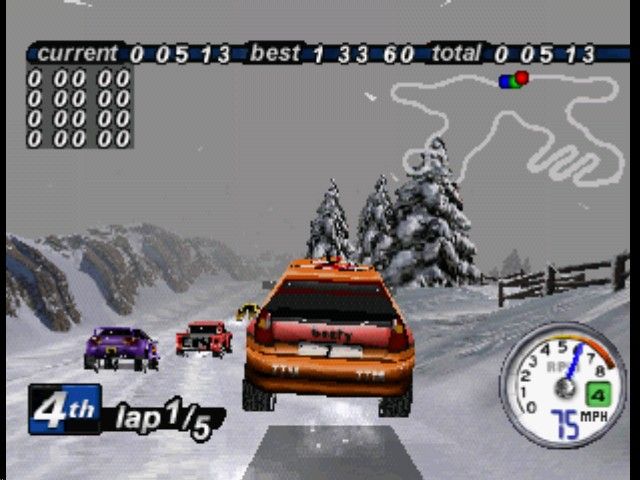
Selecting Display lets you modify the Radar and Laps game displays.
•
Turn your track radar ON or OFF by using the D-pad Left/Right buttons then press to select.
•
You can adjust the Laps display so you see all lap times or just the current one. Use the D-pad Left/Right to highlight your choice then press to select.
Audio
Adjust the Sound and Music volume of the race by using the D-pad Left/Right.
Shock
Adjust the Dual Shock™ Analog Controller with the D-pad Left/Right. You can turn the A motor (engine) ON/OFF and the B motor (collision) ON/OFF.
Restart
Selecting Restart will bring up the Confirm Restart Menu. Select Yes to restart the race or No to continue. You cannot restart a race in season mode.
Quit
Selecting Quit will bring up the Confirm Quit Menu. Select Yes to quit the race or No to continue.
SETTING UP THE GAME
From each menu, use the D-pad to highlight the menu options. Use the Select button to accept your menu choice and bring up the next menu. Use the Back button to return to the previous menu.
Player Menu
To play a game involving more than one player, you need the appropriate equipment. In a Two-Player game, the player using the left controller of the PlayStation® game console is player one. When the game begins, player one is shown racing on the top portion of the screen. Player two is shown racing on the bottom. GameType Menu
Choose between Single Race, Season, Time Trial or Practice play modes.
Single Race
Use Single Race to learn how to play Rally Cross 2. Get a feel for how the vehicles perform on the available race tracks.
•
D-pad Down/Up to Options and set up the control codes for each controller.
Season
Use this menu option to start a new season or continue a previously saved season.
•
D-pad Down/Up to Options and set up your race from the Controller Menus. Press the button to return to the Options Menu.
New Season
During the season, the track selection and version of the course are predetermined. As a rookie, you only have access to the Construction Zone, Switchyard and Black Forest tracks. Win a rookie season and the Dry Valley, Rocky Pass and County Air tracks will be added. Win a veteran season to add the Refinery and RC Stadium tracks. Win a pro season to add the Jungle and Oasis tracks.
At the rookie level, a new season is a six race competition. At the veteran level, a season is nine races. At the pro level, a season is thirteen races. As the season progresses, each racer is ranked based on the point totals obtained from his/her finishing position. The .png)


.png)







.png)