Loading the Game
1. Set up your PlayStation game console. 2. Ensure the power is OFF before inserting or removing a compact disc. Insert the Shadow Man disc and close the disc cover.
3. Insert game controllers and turn on the PlayStation game console. Important Notes
Shadow Man is for 1 Player. A Memory Card (sold separately) is required to save games.
Shadow Man supports the Analog Controller (DUAL SHOCK) in RED MODE only. Make sure there are enough free blocks on your Memory card before commencing play.
It is advised that you do not insert or remove peripherals or Memory cards once the power has been turned on.
Follow on-screen instructions to start a game.
Console Controls
Main Menu
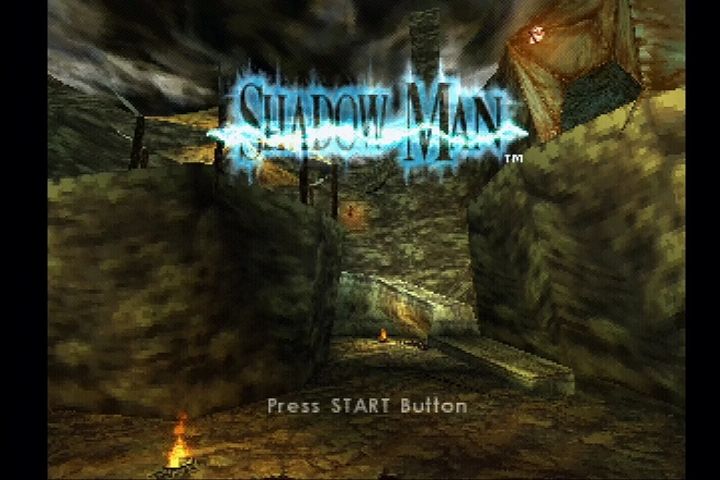
From the introductory sequence, press START to access the Main Menu.
•
NEW ADVENTURE: Allows you to start a completely new game. Press the BUTTON to begin.
•
RESTORE ADVENTURE: Allows you to restore a previously saved adventure. Use O and to select a saved game, then press the BUTTON to begin. Choose BACK to go back to the Main Menu.
•
OPTIONS: Takes you to the Options screen where the game settings can be tweaked.
Options Menu
The following options are available:
•
IN-GAME OPTIONS: Takes you to the In-Game Options menu.
•
CONTROLLER CONFIGURATION: Takes you to the Configure Controls screen.
•
BACK: Return to the Main Menu.
In-Game Options
The following options are available:
•
SHADOWMETER: This option allows you to choose whether or not the Shadow Display is always on-screen, or appears only when needed. Use and to toggle between ON and AUTOHIDE.
•
REVERSE SNIPE: This function reverses the direction of the UP and DOWN controls during Snipe mode. Turned ON, pushing causes Mike/Shadow Man to look DOWN, and vice-versa. Use and to toggle ON or OFF. •
SOUND EFFECTS: Allows you to change the volume level for all sound effects and cut-scene audio. Use and to adjust the level from 0-255. Setting the volume to zero effectively turns OFF the sound effects.
Ambidexterity
Mike / Shadow Man is ambidextrous, allowing any weapon / item combination in any hand. Pressing Left Hand or Right Hand will cause him to perform an action with his left/right hand or the weapon/item held in it. Quick-Draw and Fire
If Mike / Shadow Man does not have his Handgun/Shadowgun drawn, and the relevant hand is empty, pressing Left Hand or Right Hand will Quick-Draw and fire the Handgun/Shadowgun. Performing Actions
The Action button is used for context-sensitive cases, such as pulling a lever. Mike / Shadow Man should be stood in the correct position. Some actions require objects from Mike / Shadow Man's inventory. In these cases, use the Left Hand / Right Hand controls to use the object as required. Sniping
Pressing Snipe takes Mike / Shadow Man into Snipe (or '1st Person') mode. Using the Forwards, Backwards, Left or Right controls allows him to look around to target enemies. Pressing Snipe again will disengage Snipe mode. Our hero cannot move, jump, or swim while sniping.
Strafing
The Strafe controls allow Mike / Shadow Man to move sideways, which is ideal for keeping aim as he runs across the ends of corridors. Holding Strafe and pushing Left/Right will allow Mike/Shadow Man to make running sidesteps. Pressing Strafe Left or Strafe Right (applicable only in certain controller configurations) has the same effect.
Lock-On Strafing
When Mike/Shadow Man's firing is automatically locked on to a target, using the Strafe controls will move Mike / Shadow Man in a circle around the closest target. Pushing Forwards / Backwards will move him closer/further away. A cursor will appear to indicate which enemies are currently targeted. Holding the Snipe control during this mode deactivates Lock-On Strafing, allowing Mike / Shadow Man to move sideways. Crouching
Holding Crouch drops Mike / Shadow Man to a crouched position. This makes him a smaller target for enemies and allows him to duck below moving objects. Pushing Crouch whilst Mike / Shadow Man is running or strafing causes him to drop to the ground and perform a dramatic roll into his crouched position. Pushing Backwards while rolling forwards will roll him into a crouch and end up facing in the opposite direction. Jumping
Pushing Jump will initiate a vertical jump. Pushing Jump while running forwards allows Mike / Shadow Man to perform a long horizontal jump. Pushing Jump while strafing left and right results in a sideways (horizontal) leap. Pushing Jump while moving backwards produces a backwards horizontal leap.
All jumps will gain additional momentum and clear more distance if Mike / Shadow Man is at his maximum running speed. While in mid-air, he can also be made to drift by pushing Left, Right, Forwards or Backwards. Edges and Ledges
Once Mike / Shadow Man has grasped hold of a ledge (for which he must have at least one hand empty), he will hang from it. In this position, he can climb up and over, work his way along it, and snipe at enemies. Pushing Jump while hanging makes him take a big
.png)


.png)







_1.png)





_1.png)
.png)

.png)

.png)
.png)