Set Up
Set up your PlayStation® game console according to the instructions in its Instruction Manual. Make sure the power is off before inserting or removing a compact disc. Insert the STREET FIGHTER ALPHA 2 disc and close the Disc cover. Insert game controllers and turn on the PlayStation game console. Follow the on-screen instructions to start a game. Basic Street Fighter Rules
•
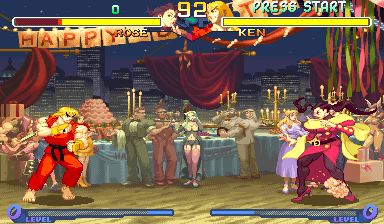
Each match lasts 99 seconds.
•
If time runs out before there is a KO victory, the fighter with the most energy remaining wins.
•
In a 3-round match, you must win 2 of the 3 rounds to be the victor. In a 5-round match, win 3.
•
DRAW games on the 3rd or 5th round will be extended by an extra round. If another draw occurs, the game ends without a victor.
Game Modes
There are 3 modes of play and 2 setup modes for Street Fighter Alpha 2. After a battle, the win/loss screen appears. At the continue screen, press the START button before the time reaches zero in order to continue. To bypass the continue screen and end the game, press any button other than the START button.
Shortcut
Turning SHORTCUT to "on" in the OPTION MODE bypasses the MODE SELECT screen.
Adjusting Button Configuration
To adjust your button configuration during gameplay, press the START button to pause the game. Then press the SELECT button. Select KEY CONFIG from the menu to adjust your buttons, then EXIT when you are finished. Select QUIT to Quit Game.
When configuring your buttons, use the Directional Button to highlight the function, then press the button you want to perform that function.
Resetting the Game
To reset your game at any time without having to reload the disc, press and hold L1, L2, R1, R2, SELECT and START simultaneously for two seconds. You will be returned to the Street Fighter Alpha 2 title screen. Mode Select
Arcade Mode
This mode is the popular arcade mode, where you select a Street Fighter character and fight your way through 8 other computer-controlled opponents. It is a one-player game, but a second player can join in at any time. Press the START button on the opposite controller to join in. The character select screen will appear. From the title screen, press START or X to see the MODE SELECT menu. Use the Directional Button to highlight this mode, then press the START or X button to select it. You will then see the character select screen. Use the Directional Button to highlight a character.
Manual Mode
You must perform all blocking functions, and Super Combos must be performed using the full instructions outlined in ALPHA WARRIORS.
Auto Mode
Auto mode offers 2 features for players:
•
Simple Command: You can execute Super Combos by simply pressing 2 buttons simultaneously. Press Light Punch and Light Kick simultaneously for Super Combo #1. Press Medium Punch and Medium Kick for Super Combo #2, and press Hard Punch and Hard Kick for Super Combo #3. Only Level 1 Super Combos are available in AUTO mode.
•
Auto Guard: Your character will block automatically unless you are attacking. The number of available auto guards is unlimited. You will receive a small amount of damage while blocking a hit in Auto Guard Mode.
Note: Your opponent can block Super Combos in the air while you are in AUTO mode.
V.S. Mode
This mode offers the classic 2-player contest. Use the Directional Button to highlight this from the MODE SELECT screen and press START or X to select it. You will then be presented with the character select screen.
Select character, color, game speed and MANUAL/AUTO in the same manner as the ARCADE mode.
Note: You can change the color of your character depending on which button you press.
Training Mode
This mode allows you to study and practice special moves, Super Combos and Custom Combos. Your opponent will not block for the first hit, but will block for the following hit. Therefore you can easily determine if you can execute the combo successfully. After a certain amount of time, the opponent will not block your attack.
The Super Combo Level Gauge is fully charged, up to Level 3, and will be consumed as you execute Super and Custom Combos. It will re-charge after a certain amount of time.
First, select your character and your opponent's character. The Training Main Menu will then appear. You will see the following options. Use the Directional Button to highlight the option, and press START or X to select it:
•
Opponent's vitality does not decrease when hit
•
Opponent's vitality decreases when hit
•
If opponent is KO'd, time ends, or a combo is successful, a window will open where you can either replay the combo or continue practice
•
REPLAY: Replay your training fight
•
CHARACTER CHANGE: Change your character and your opponent's character
•
ACTION: You can choose opponent's action from following 3 options: •
STAND-Character always stands
•
CROUCH-Character always crouches
•
JUMP-Character repeatedly jumps
•
SPEED: Select from 3 speeds
•
GAUGE: Changes amount of charged Super Combo meter
**Training Mode Pause
 (Rev 1).png)

 (Rev 1).png)
.png)









.png)