GETTING STARTED
Set up your PlayStation® game console according to the instructions in its Instruction Manual. Make sure the power is off before inserting or removing a compact disc. Insert the THREADS OF FATE™ disc and close the disc cover. Insert game controller(s) into controller port(s), and turn on the PlayStation® game console. When the title is displayed, press the START button. The Title Screen will appear with the following options: PlayStation® Console Diagram
•
MEMORY CARD slots (ABOVE CONTROLLER PORTS)
Title Screen Options
NEW GAME
Select this option to play the game from the beginning. Press up or down on the directional button to make this selection, and press the button to confirm your selection. The screen will change to the Character Selection Screen.
CONTINUE
Select this option to continue a game from saved data. After inserting a MEMORY CARD containing saved data into a MEMORY CARD slot, select the saved data to start from. When the L1 or R1 button is pressed in the Save Screen, the player will be able to switch between MEMORY CARD slots.
SAVING THE GAME
You can save your game at the inn in Carona. Talk to the owner at the counter, select <Recover and register>, and the Save Screen will appear.
If the L1 or R1 button is pressed on the Save Screen, the MEMORY CARD slot will change. Each save requires one block of memory on a MEMORY CARD.
GAME OVER
When the character's Hit Points reach 0, the game is over. Select <Back to town> or <Quit> by pressing the directional button, and execute the command by pressing the button.
If you select <Back to town>, the game will return you to the town of Carona. However, by selecting this option, the number of each monster in your inventory will be reduced by half.
COIN OF LIFE
If you have a coin of life, the option <Continue> will be added to the Game Over Menu. When <Continue> is selected, the Coin Selection Screen will be displayed, where the player can choose which coin of life to use.
Depending on the coin selected, the character's MP value and stats will be modified when the game restarts.
TRANSFORMATION
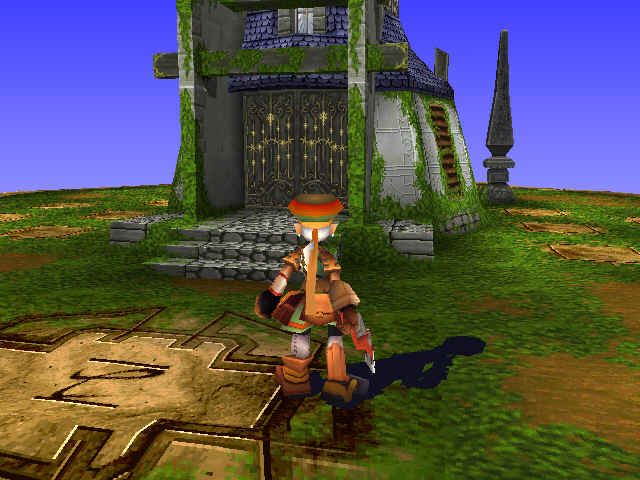
Rue has the special ability to transform into different monsters. By becoming a monster, he can escape traps and overcome various obstacles.
DEFEATING MONSTERS
When Rue defeats a monster, the monster may change into a coin.
COLLECTING MONSTER COINS
Collect the coins left by the monsters Rue defeats. Press the button, and those monsters will be displayed in the Menu Ring. The Menu Ring can display up to four different monsters at one time.
If Rue acquires a fifth monster, it will replace the first monster coin in the Menu Ring.
SELECTION WITH THE MENU RING
Hold down the button to display the Menu Ring. After selecting a monster with the directional button, release the button to transform into that monster. To transform back into Rue, select Rue in the Menu Ring.
COMMANDS WHILE TRANSFORMED
Commands for jumping and moving are the same as before transformation. Attack methods are displayed when the monster is selected in the Menu Ring. Pressing certain button combinations may trigger other attacks.
SPECIAL ATTACKS
Some monster forms use MP to release special attacks. Once all of Rue's MP have been depleted, those attacks will no longer be possible.
MONSTER GUIDE
(Note: other types of monsters can be found.)
POLLYWOG
Since a Pollywog hovers in the air, it does not receive damage from ground-level attacks or attack from short enemies near the ground.
SABER TIGER
A fast cat with a long-distance jump. While weak against fire attacks, it can jump over some holes that Rue cannot.
MANDOLA
A Mandola cannot move, but it is strong against water and light attacks. It attacks by spitting out seeds.
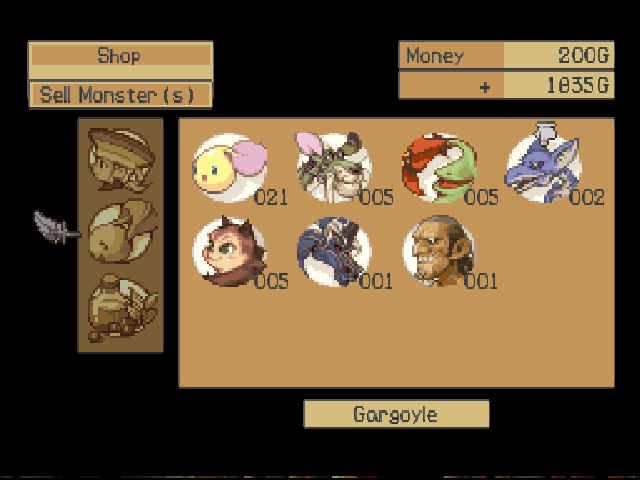
GARGOYLE
A Gargoyle attacks with sonic waves. Press the jump button twice to make this monster jump high into the air.
STINGER
A Stinger is strong against lightning. Since this monster is small, it is difficult to attack.
OOTANG
While weak against fire attacks, the Ootangs can throw rocks and jump over tall obstacles.
CHARACTER GROWTH
INCREASING HP & MP
The characters' maximum Hit Point values increase as they receive damage. Therefore, taking hits is one way to raise the maximum HP value. Using magic attacks will help raise the maximum MP value. Special items may also increase the maximum HP and MP values.
RECOVERING HP & MP
Recover HP by staying at the inn or by using certain items. Any MP that have been consumed can slowly be recovered by hitting enemies with normal attacks. Certain items will also restore Magic Points.
STRENGTH & DEFENSE
The character's Strength (which signifies his or her attack power) and Defense can be calculated by adding the base number to the highlighted bonus number. Certain items can raise both the base numbers and bonus numbers
.png)

.png)






.png)



.png)