GETTING STARTED
MENU CONTROLS
On menu and selection screens, use the Directional button or Left Analog Stick to highlight your choice.
Press the X button to confirm your selection.
Press the A button to return to the previous menu.
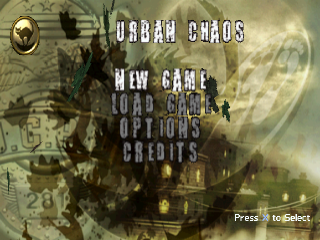
MAIN MENU
Select one of the following:
•
New Game - Begin a new game.
•
Continue Game - Available after you've started a game, this option allows you to continue the game without saving.
•
Load Game - Load a previously saved game from a Memory Card.
•
Save Game - Save your current game.
•
Options - Change the game configuration from the Options menu.
OPTIONS
Select Options from the Main Menu to get to the Options menu. Highlight options and press the button to proceed or to change settings.
Audio Configuration
•
Audio Mode - Toggle Stereo or Mono.
•
Effects/Music/Speech Volume - Adjust volume of in-game sound effects, music, and speech.
•
Return - Exit to the Options menu.
Screen Position
•
Position - Adjust the position of the display on your TV.
Controller Configuration
•
Standard Configurations - Select one of four settings.
•
Custom Configuration - Press the X button to enter free configuration mode. Select each action and press the button you want to use to trigger it. Press the X button when you're finished. •
Vibration Function - Press the button to toggle the DUALSHOCK analog controller's vibration function ON/OFF.
MAP MENU
On the Mission Select screen, you will see a map of the city with markers indicating mission locations. When you first begin a game, only Physical Training, Combat Training, and Diving School are available.
Select a marker to see the missions available at that location. Select one of the listed missions to read the mission briefing.
You must carry out these primary objectives in order to complete the mission successfully. If you're ready to accept the mission, press the X button to confirm.
SAVING AND LOADING
Once you have successfully completed your mission, you will be asked if you want to save your progress to a Memory Card. Press the X button repeatedly to select the SAVE option, confirm it, and return to the Main Menu.
You must be using a Memory Card with at least 1 free block in order to save. To resume a saved game, select LOAD GAME from the Main Menu.
CITY NAVIGATION
While some missions you will have access to vehicles, in most you're on foot. Successful exploration and navigation of the city depends on climbing, crawling, and jumping. Water locations are not accessible.
Jogging
Use the Directional buttons/Left Analog Stick to move your character in four directions. When you're using the Left Analog Stick, your character will always run. Your character cannot run backward.
Sprinting
Hold the Action button while jogging to sprint. D'arci can only sprint for a limited time. Rupert cannot sprint. Jumping
Use the Jump button for stationary jumps. Press the Jump button together with a Directional button or Left Analog Stick move to jump in that direction. You do have some control while in the air.
Sprinting and jumping is recommended for rooftop leaps of faith.
Getting Over Obstacles
Scale small obstacles such as low walls and fences by running toward them and either vaulting them by pressing moving or jumping them with the Jump button.
Crouching and Crawling
Hold down the Action button when stationary to crouch, then use the Directional buttons/Left Analog Stick to begin crawling. Crouching and crawling are essential stealth moves. Ladders
When you're standing close to the foot of the ladder, press/move to begin climbing. Press/move to climb up or down a ladder. Press the Jump button to dismount.
MAKING INQUIRIES
You can talk to anybody in the game by standing in front of the person and pressing the Action button to initiate a conversation. This is particularly useful if you want to question an eyewitness to a street crime and find out what that person knows. If you're lucky, you can often find a few witnesses hanging around a crime scene.
ITEMS AND INVENTORY
You can pick up many items you see in the game by standing over them and pressing the Action button. Press SELECT to bring up your inventory; this is where all the items and weapons you have collected are displayed. Highlight an item, then press the X button to close the inventory - the item will now be selected.
ON-SCREEN PANEL
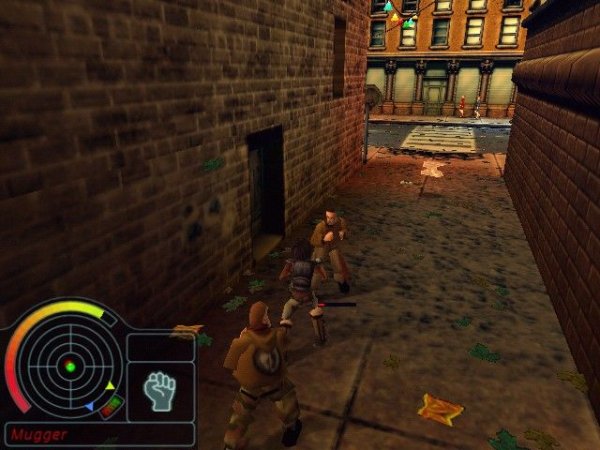
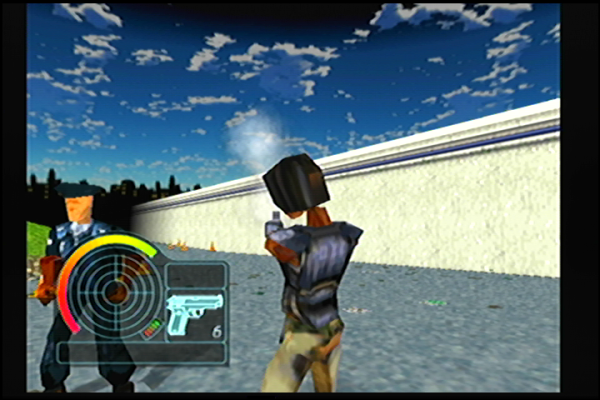
The panel in the upper right of the screen shows your health meter, objective directions, and what you are carrying at the time.
As objectives are added to your missions, these will appear as different colored arrows with an objective name on the Navigation Map. As you approach your target, the arrow will change to a small dot on the inside of the radar screen until it reaches the center of radar.
On some missions there is a time limit, this is shown above the icon for your currently held item and will decrease as the mission progresses.
Health
Your health bar is next to the Navigation Map. As you are wounded, your health will decrease until you die. Enemies will have a single red line meter for their health bar.
If you have been wounded, you can get back to strength by picking up a Medikit. Each Medikit instantly restores up to 50% of your health.
Disciplinary Violations
Should you deliberately or accidentally cause the death of an innocent civilian during the course of your duties, you will receive a citation for disciplinary violation. If you receive five