GETTING STARTED
Set up your PlayStation®2 computer entertainment system according to the instructions in its Instruction Manual. Make sure the MAIN POWER switch (located on the back of the console) is turned on.
Press the (standby) RESET button. When the power indicator lights up, press the (open) button and the disc tray will open. Place the Silent Hill ®3 disc on the disc tray with the label side facing up. Press the (open) button again and the disc tray will close. Attach game controllers and other peripherals, as appropriate. Follow on-screen instructions and refer to this manual for information on using the software.
Story Overview
The heroine of the story, Heather, has suddenly been transported from her everyday world to a world overrun with prowling monsters. Choosing either to fight or flee from the creatures, Heather must solve a variety of mysteries to progress through the story.
Starting a New Game
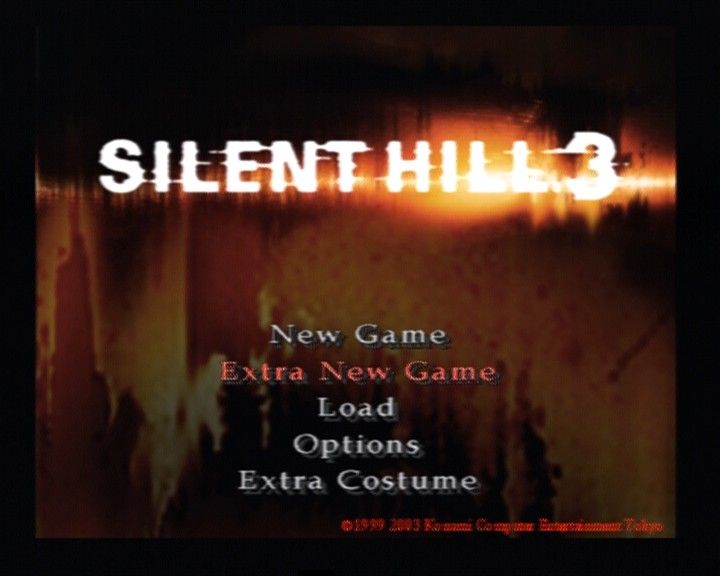
To start a new game, choose "New Game" from the Title Screen menu and press the button. At this time, you should choose the action difficulty level and riddle difficulty level that best suit your style of play. Action Level
•
Easy: Weak monsters and simplified controls
•
Normal: Standard difficulty
•
Hard: Monsters are very strong and fast. Overall difficulty level is high.
Riddle Level
•
Easy: Riddles are simplified and hints are provided
•
Normal: Standard difficulty
•
Hard: Riddles are complex
Note: Regardless of the difficulty levels selected, the game scenarios and endings will be the same.
Game Menu Options
Battle
Press the R2 button to enter Caution Mode. Heather will automatically face toward monsters. Press the button while facing a monster to attack it.
When a projectile weapon is equipped, hold down the button for repeat firing.
•
attacking with a melee weapon
•
attacking with a shooting weapon
Guarding
Hold the R2 button and press the button to guard against attacks. You cannot move when guarding.
By guarding from enemy attacks, you can reduce the damage you receive, but you will still get hurt. If you are guarding with a weapon equipped, you will receive 5% of the full attack damage, but without an equipped weapon, you will receive 10% of the full attack damage.
Attack Types
When using melee weapons, such as knives or pipes, different attacks may be executed depending on the length of time the attack button is pressed, or if it is pressed in combination with the directional button.
If you are playing Action Level Easy, pressing the attack button will enable you to use weapons without holding the R2 button. Search View
Pressing and holding the L2 button and right analog stick will cause the camera to shift to a forward view from behind Heather's back. Use the right analog stick to change your viewing angle.
Note: Search View cannot be used in all areas.
Soft Reset
Press the SELECT button and START button simultaneously to perform a soft reset and return to the Title Screen.
MENU
Items
Use the directional buttons and the button to select an item. A list of available commands for that item will appear in the Command window at the right of the screen.
•
Combine: Sometimes the solution to a puzzle will require you to use several items at once. Select the items needed to solve the puzzle and combine them into one item. Once the items are combined, use the new item to solve the puzzle. You may combine up to three items.
•
Equip: Equip a selected item (will not be consumed). You can equip more than one item.
•
Power Switch: Turn ON/OFF the flashlight or radio. If you turn off the flashlight or radio, it will become more difficult to see and hear the monsters.
•
Adjust: Adjust the radio volume.
•
Examine: Examines items for clues.
Weapons
Select to equip a weapon. Press the left and right directional buttons to select a weapon and press the button to equip it.
The name of the currently equipped weapon will be displayed in green, and the weapon's icon will appear in the Weapon column. You can also reload firearms if you have the right ammunition.
•
Equip: Equip your selected weapon. Unless you are equipped with a weapon, you cannot attack an enemy.
•
Unequip: Unequip a weapon.
•
Reload: Reloads a weapon with bullets. You will need to have the appropriate bullets for the weapon you want to reload.
•
Examine: Examine a weapon.
Supplies
This category includes expendable items such as ammunition and medicine. Using ammunition will automatically reload the corresponding gun.
Some items can also be equipped. When an item is equipped, you can use it without having to access the Item Screen by pressing the R3 button.
•
Reload: Reloads bullets to a weapon. You will need the appropriate bullets to the weapon you possess.
•
Use: Use your selected medicine. By using medicine items such as a "First Aid Kit", you can recover your health.
•
Equip: Equip your selected bullets / medicine. You can use the items by pressing the R3 button.
•
Examine: Examines items.
Maps
Once you have acquired a map, you can view it
.png)

.png)


.png)


.png)
.png)