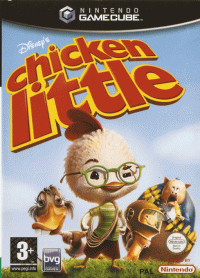
Based on the concurrently released Disney feature film, Chicken Little for GBA offers a modernized, interactive interpretation of the familiar children's story. The game features 12 levels of side-scrolling platform action, all inspired by scenes from the
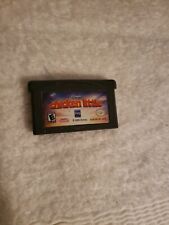
Insert Disney's Chicken Little Game Pak into the Game Boy® Advance slot.
•
Turn the POWER switch ON.
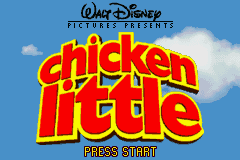
Title Screen
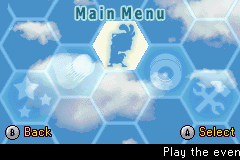
When the title screen appears, press Start to proceed to the Main Menu.
General Store
To access the General Store, select it from the Game Map. At the General Store, you may buy the following:
•
Story Mode: Buy health for Chicken Little, Commander Ace, and Fish-Out-of-Water.
•
Dodgeball: Buy new uniforms, unlock new players, and buy new game balls.
•
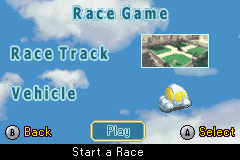
Race: Buy upgrades and new vehicles to race with.
Controls
L Button
navigate the menu screen
+Control Pad
navigate the menu screen
SELECT
navigate the menu screen
R Button
navigate the menu screen
A Button
navigate the menu screen
B Button
navigate the menu screen
START
navigate the menu screen
+Control Pad Down
Yo-Yo Spin
Control Pad
Steer
Tips & Maps
Game Map
Use the +Control Pad Left/Right to browse through unlocked levels on the map. Press the A Button to view level statistics and access the level.
Level Progression
The levels are Cluck House, Town Hall, Dodgeball, Baseball, Movie Theater 1, Alien Spaceship, Cornfield, Race, Movie Theater 2, Town Square, Alien Mothership, and Movie Theater 3.
Dodgeball
Move/Aim with +Control Pad, Pass with A Button, and Throw/Catch with B Button. Use Running Power Throw by double-tapping and holding the +Control Pad then pressing B for a more powerful hit, or perform a Power Pass by passing back and forth between teammates and pressing B when the receiver blinks red.
Collect this to temporarily transform into Commander Ace.
Soda Pop
Hit the soda machine with the Yo-Yo to make it drop a bottle of soda. After you pick up the soda, you can use it to launch yourself into the air and across large holes.



 (En,Fr,De,Es,It,Nl).png)
.png)
.png)










_1.png)





.png)



_1.png)
.png)
_1.png)
.png)
.png)
.png)
 (En,Fr).png)
