Starting the Game
1. Make sure a control pad is plugged into the port labeled Control 1 on the Sega Saturn system. 2. Open the disc tray and place the disc inside.
3. Turn ON the power switch on your Sega Saturn system. 4. At the NBA Live 97 title screen, press START to advance to the Game Setup screen. Setting Up the Game
Game Setup Menu
Use the Game Setup menu to choose the game mode, style, and difficulty you want.
•
D-Pad ↑↓ to highlight menu items.
•
D-Pad ←→ to change highlighted item.
•
Press B to select highlighted menu option.
•
Press Z to get Help on how the buttons work.
Load Game
Go to the Load Game screen to load saved games from RAM or backup RAM Cartridge.
•
To toggle saved Season/Playoff games, D-Pad ↔.
•
To select a game, D-Pad ↑↓.
•
To load a selected game, press B.
•
To erase saved Season/Playoffs, highlight the file you want to erase and press A. A prompt appears to confirm your choice.
Rules Menu
Use this menu to set custom rules and simulation options. Default (Arcade) settings are listed in bold.
•
CURRENT RULES: Cycle SIMULATION, CUSTOM, and ARCADE rules.
•
DEFENSIVE FOULS: This slider (OFF by default) sets defensive foul sensitivity. As the bar is filled, more fouls are called.
•
OFFENSIVE FOULS: This slider (OFF by default) sets defensive foul sensitivity. As the bar is filled, more fouls are called.
•
FOUL OUT: Toggle foul out ON/OFF. If ON, players are ejected after their sixth foul.
•
OUT OF BOUNDS: Toggle out of bounds calls ON/OFF.
•
BACKCOURT: Toggle backcourt calls ON/OFF.
•
TRAVELING: Toggle traveling calls ON/OFF.
•
GOALTENDING: Toggle goaltending calls ON/OFF.
•
3 IN THE KEY: Toggle three second calls ON/OFF.
•
INBOUND CLOCK: Toggle 5 second inbound clock ON/OFF.
•
HALF COURT CLOCK: Toggle 10 second backcourt clock ON/OFF.
•
SHOT CLOCK: Toggle 24 second shot clock ON/OFF.
•
INJURIES: Turn player injuries ON/OFF. When Injuries are ON, every time a player gets knocked down there is a slight chance he will be injured. In an Exhibition game, an injured player is only affected during the current game.
•
FATIGUE: Toggle player fatigue ON/OFF. When ON, players tire and you must substitute accordingly.
User Setup
To change the setting for your Control Pad, D-Pad ↔ to position the controller symbol under either team to select that team, or in the middle to select computer control.
To cycle through user names, D-Pad up/down. Press START to select the highlighted name. When all players have selected their user names, press START to continue. The pregame introduction screens appear.
•
To delete an existing name: Highlight a user name and press A.
•
To edit an existing name: Highlight the user name, press B, use D-Pad to select/delete letters, press B to enter, then START to continue.
•
To enter a new player name: Highlight NEW USER, press B, use D-Pad to select letters, press B to enter, then START to continue.
Pregame Introduction
Before the game, the pregame introduction screens set the stage for the basketball action to follow. First, the Game Introduction screen announces the teams and home court.
•
Press START to continue. The Starting Lineup screen appears.
•
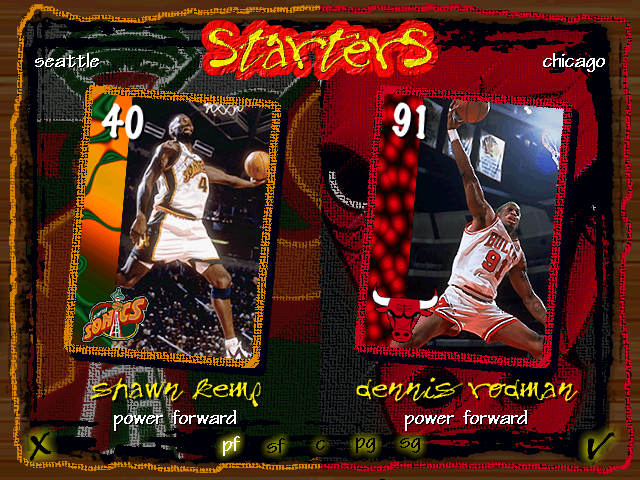
The Starting Lineup from both teams are introduced. Press START to go directly to the tip-off.
The Tip-Off
Every game starts with a tip-off between the centers.
•
To jump for the tip-off, press C.
Playing the Game
You control the man over the control symbol. Depending on which Control Pad you're using, the symbol has a different color. If your player is off-screen, an arrow the same color as your control symbol points toward him from the edge of the screen. Use the D-Pad in the opposite direction to bring him back onscreen.
Just like in the NBA, offense and defense require different skills in NBA Live 97. While the D-Pad is always used to move your player, the buttons have different functions on offense and defense. Learn the controls first, then you can focus on your basketball skills and strategy. Offense: Moving with and Without the Ball
•
Press the D-Pad in the direction that you want to move. You continue to move and dribble as long as you hold down the D-Pad. When you release the D-Pad, you stop moving, but maintain your dribble.
•
Once you leave your feet to shoot you must release the ball before you land, or the refs call traveling.
•
To run faster, hold down Right SHIFT while moving. This kicks you into Turbo mode, where you may be able to catch another player from behind or make a lightning drive to the bucket.
•
TIP: When FATIGUE is ON, Turbo mode wears out your players in a hurry, so use it sparingly.
•
To perform post-up moves, you must catch a pass when you are stationary in the low post area. When you press the D
.png)

.png)






.jpg)

.png)
.png)

.png)


.png)
.png)
.png)