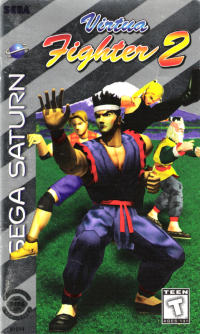
Using the Sega Saturn
Set up your Sega Saturn system by following the instructions in the Sega Saturn Instruction Manual. Plug in Control Pad 1. For 2-player games, plug in Control Pad 2 also. Note: Virtua Fighter Kids is for one or two players. Place the Virtua Fighter Kids disc, label side up, in the well of the CD tray and close the lid. Turn on the TV or monitor and the Sega Saturn. The Sega Saturn logo will appear on screen. If nothing appears, turn the system off and make sure it is set up correctly before turning it on again. •
Simultaneously press Buttons A, B, C and Start on the Sega Saturn Control Pad to stop a game in progress and return to the on-screen Control Panel. •
When the game Title screen appears, press again to go to the on-screen Control Panel.
Important: Your Sega Saturn compact disc contains a security code that allows the disc to be read. Be sure to keep the disc clean and handle it carefully. If your Sega Saturn system has trouble reading the disc, remove the disc and wipe it carefully, starting from the center of the disc and wiping straight out toward the edge. Getting Started
After loading Virtua Fighter Kids, the Sega and True Motion logos appear, followed by an animated sequence of the game characters. Watch the sequence, or press Start at any time to skip to the Title screen. Press Start again at the Title screen to move to the Mode Select screen. Wait a few moments to watch the game demonstration and player rankings that follow. Press Start at any time to move to the Title screen.
Mode Select
Press the D-Pad LEFT or RIGHT to scroll through the modes, and press Button A, C or Start to select a mode.
•
Arcade Mode: Let you play against the computer. Clear all the stages to see a special animation sequence featuring your fighter.
•
VS Mode: Let you and a friend test each other's skill. A second player can interrupt an Arcade Mode fight by pressing Start on the unused Controller. The Player Select screen appears, allowing the new player to select a fighter. After the fighter has been selected, the VS Mode game begins. When the VS Mode fight ends, and neither player chooses to continue, the Arcade Mode resumes at the same level as when the new player entered the game.
•
Ranking Mode: A one-player game similar to Arcade Mode. At the end of the game, you are assigned a skill ranking and ratings of several aspects of your performance.
•
Combo Maker: Let you create and save your own special combination attacks.
•
Viewing Mode: Allows you to watch any two characters in action against each other. Select the fighter by pressing the D-Pad LEFT or RIGHT and Button A or C, or let the computer pick two fighters randomly. Press Start during the fight to pause the game.
•
Records: Shows the records of fighters in VS Mode competition, best Arcade Mode completion times, and highest Ranking Mode scores.
•
Key Config: Allows you to change button functions for the Controller.
•
Options: Let you change features of the game and sample the voice and sound tracks for each fighter.
Note: Any game mode can be canceled at any time by holding down Buttons A, B and C and pressing Start. This will automatically return you to the Title screen.
Options
Press the D-Pad UP or DOWN to select an option, and LEFT or RIGHT to make changes within the selected option.
•
Life Gauge: Alter the strength of both fighters. Select from Largest, Larger, Normal, Smaller or Smallest. The larger the setting, the less damage you take per hit. Choose NO DAMAGE for a fighter who can't be hurt, but be careful as you can still be knocked out of the ring.
•
Match Point: Select the number of victories needed (1-5) to decide a match.
•
Time Limit: Choose how long you want each round to last (10, 20, 30 or 60 seconds). Choose NO LIMIT to turn the timer off.
•
Opponent Level: Set the level of the computer opponent in Arcade Mode. Choose Easy, Normal, or Hard for a real test of your fighting skill. Select Practice to make the computer opponent your punching bag.
•
Stage Size: Set the area of the fighting ring to 8, 12, 18 or 22 meters.
•
Opponent Order: For Arcade Mode, you can choose a fixed order of appearance for your opponents or have them come at you in random order.
•
Go to Mode Select: Press Button A, C or Start to return to the Mode Select screen. You can also return to Mode Select from any part of the Options screen by pressing Button B. The changes you have made will be retained in the internal memory.
•
Return to Defaults: Resets all options to the default values.
Note: The various options cannot be used in Ranking Mode play.
Sound Room
Press the D-Pad UP or DOWN to select an option, and LEFT or RIGHT to cycle through the choices within that option. Press Button A or C to sample the selected track. Press Button B or Start, or highlight EXIT and press Button A or C to return to the main Options menu.
•
Music, Sound, Voice: Sample the music, sound effects and voices used throughout the game. Press the D-Pad LEFT or RIGHT to select the track you want to hear, and Button A or C to play the track.
•
Output: Allows you to select Stereo or Monaural (MONO) sound.
•
Music Volume: Lets you adjust
.png)


.png)
_2.png)
_3.png)
.png)
.png)
.png)
.jpg)
.png)



.png)








_1.jpg)

_1.png)
.png)