Before You Hit the Gridiron
Loading
•
Make sure the power switch is OFF.
•
Insert the NFL™ QUARTERBACK CLUB™ Game Pak as described in your SUPER NINTENDO ENTERTAINMENT SYSTEM® instruction manual. If you wish to play a three, four or five player game, plug in a Super Multitap™ (sold separately) at this time as described in its instruction manual.
•
Turn the power switch ON.
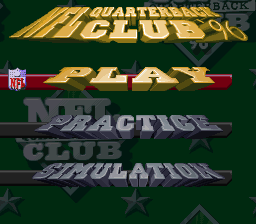
When the game mode screen appears, you will have three unique and challenging game play options: Quarterback Challenge, NFL™ Play, and Simulation.
Press LEFT or RIGHT on the CONTROL PAD to highlight the option you wish, then press the START BUTTON.
The Quarterback Challenge™
The Quarterback Challenge™ will test your skills in four demanding events. It's great for competing against other quarterbacks, or for use as a training tool in the preseason before getting the team on the field for full-scale game play!
You can also build up your own Custom Quarterback by competing repeatedly in the challenge events—and then import him into NFL™ Play in preseason mode!
Player Mode
When you choose Quarterback Challenge from the options screen, you will see a screen with five controllers on it, each with a different color. Note the player order box at the bottom of the screen.
All players (up to five!) who wish to compete should press their START BUTTON. When the first START BUTTON is pressed on one controller, all other players will have 10 seconds (which will be counted down on screen) to press their START BUTTON and enter the challenge.
Once all participating player controllers have been entered, the player order box will randomize the order in which players will select Quarterbacks and compete in the first event.
Selecting Our Quarterback
Each player will then be asked to select their quarterback from the 19 NFL™ superstars available in NFL™ QUARTERBACK CLUB™.
First, press UP or DOWN on the CONTROL PAD to scroll through the list of names and highlight the specific quarterback you want. When your choice is highlighted, press the B BUTTON to see the player's statistics and attributes.
To view another quarterback's stats and attributes before making a final selection, press UP or DOWN on the CONTROL PAD to highlight a different quarterback, then press the B BUTTON to see the new quarterback's stats. To lock in your choice, press the B BUTTON a second time.
Build a Custom QB
Before beginning the Quarterback Challenge, you may choose to create your own custom quarterback. Your custom Quarterback will initially start out with nominal attribute ratings in each of the categories used in the NFL™ Quarterback Club™. To make him a viable competitor, you must increase your custom player's abilities by successfully competing in the Quarterback Challenge events. Each time you do so, you will raise your custom quarterback's ability ratings.
To select the Custom Quarterback feature, first highlight Select QB, then press RIGHT on the CONTROL PAD to highlight the Custom category, then press the B BUTTON.
You may choose uniform color, uniform number, player skin tone, and the player's throwing arm (left or right) by first pressing UP or DOWN on the CONTROL PAD to highlight a category, then the B BUTTON to scroll through to the desired settings.
You can give your custom quarterback a name of up to eight letters by pressing LEFT or RIGHT on the CONTROL PAD to highlight letters. Press UP or DOWN on the CONTROL PAD to scroll through letters and numbers. To erase or go back over any letter, press the Y BUTTON. Once you've entered a name, press the START BUTTON to exit.
When you are satisfied with your selections, press DOWN on the CONTROL PAD to highlight Custom QB, then press the B BUTTON to exit the Custom QB option. You can give your custom quarterback a name of up to eight letters by pressing the CONTROL PAD to highlight letters, then pressing the B BUTTON to confirm them.
Restore Quarterback
The RESTORE QUARTERBACK function allows you to choose a previously "built" quarterback in order to make him even stronger by competing in the challenge again.
To select the Restore Quarterback feature, first highlight Select QB, then press the B BUTTON. Use the CONTROL PAD to highlight the Restore QB option. Press the B BUTTON to select any saved Custom Quarterbacks.
When the desired quarterback is displayed, use the CONTROL PAD to highlight Custom QB, where you may alter him as described under Build a Custom QB. To begin the Quarterback Challenge, highlight Custom QB, then press the B BUTTON.
At this point, you may select specific events or review Quarterback Challenge™ rules. Press the CONTROL PAD to highlight specific listings at the top of the screen, then press the B BUTTON. A Custom Quarterback may be used in the NFL™ Play Preseason mode to actually bring your Custom Quarterback into real NFL™ action!
Select an Event
The NFL™ QUARTERBACK CLUB™ Quarterback Challenge allows you to choose from among the four events. Compete in one, or compete in them all!
To do so, press the CONTROL PAD to move the highlight bar at the top of the screen to "SELECT EVENT", then press the B BUTTON. You will see a display of all four events. Press the CONTROL PAD to highlight the event you want to compete in, then press the B BUTTON to select that event.
If you do not select any events and choose "START CHALLENGE," you will be competing in a complete four-event Quarterback Challenge™.
If at any time you wish to review the rules of a specific Quarterback Challenge event, simply highlight the CHALLENGE RULES option at the top of the
.png)


_2.png)
.png)








_1.png)
.png)
_1.png)
.png)
.png)
.png)
 (En).png)
.png)