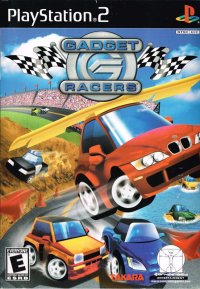
Start Menu Options
New Game
Selecting this option starts a new game. Be careful, as selecting this will erase any existing saved data in the memory.
Continue Game
Use this option to continue your progress. Racing data is automatically recorded, so there is no need to manually save the game. Quick Race!
This mode allows you to start a quick race without the registering process. However, Lap Times and Record Times are not saved in this mode.
Link-Play
Select this to compete head-to-head against human players. You will need a Game Boy® Advance Game Link® Cable and a Gadget Racer Game Pak for your opponent. Options
Use this section to change your driver's name.
Menu ET
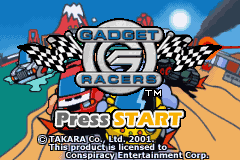
The main menu includes New Game, Continue Game, Quick Race!, Link-Play, and Options. This product is licensed to Conspiracy Entertainment Corp. by TAKARA CO., Ltd. (2001). Registering Your Driver
Use this screen to input your driver's name using the Control Pad and A Button. You can skip this step by pressing Start. If you wish to change your name later, select "Options" from the main menu.
Body Styles and Selection
Use the Control Pad to select a body style, then press A to confirm. You can name the selected body style and any other bodies acquired during the game by visiting the Garage. Once selected, you are ready to play.
Battle Area Requirements
The Battle Area requires both Weapons and Tank Treads. Your weapons start empty, so you must drive over Ammunition Panels to refill them and shoot opponents.
Requirements:
Battle Area Controls
*Note: AT controls only.*
•
L Button: Dodge enemy fire.
Battle Area Tips
•
You are limited to AT controls in the Battle Area.
•
Use the L Button to dodge if an enemy locks on to you.
•
You can still be hit by stray fire even if you were not targeted.
Quick Race Details
In this mode, you can freely race without affecting saved data. Simply select a circuit and car type to begin.
Choose Circuit
Select one of 5 courses representing the Gadget Racer World. Choose Car Type
Each course offers 5 pre-set car types with different settings. The available Gadget Racers vary by course.
Pause Menu
Press START during a race to open the pause menu. This mode includes an option to restart the race, which is not available in the regular mode.
Multiplayer Setup
Gadget Racers multiplayer requires the following for each player:
•
Game Boy® Advance Game Link® Cable
Cable requirements:
How to Connect
1. Ensure power switches on all systems are off.
2. Insert the Game Pak into each system.
3. Connect Game Link® Cables to each other and plug them into the external connectors.
4. Turn on the power for each system.
When playing with 2 or 3 people, do not attach extra systems or cables. The system connected to the small plug becomes Player 1.
Linking Notes
Linking may fail in the following situations:
•
Using a cable other than the Game Boy® Advance Game Link® Cable.
•
The cable is not plugged in fully.
•
The cable is unplugged during a link-up.
•
The system and cables are not properly connected.
•
More than 5 systems are connected simultaneously.
Multiplayer Modes
Rankings Mix
This mode compares Best Record and Best Lap data between players, combining them to use the best times for each category.
•
After connecting, each player selects "Mix".
•
If one player selects "Rankings Mix" and others do not follow within 10 seconds, an error occurs.
•
The Rankings Mix happens automatically once linked.
•
You can send a Bottle Gadget Racer during this mode if one has been created. Cable Competition
This option allows direct competition with other players.
•
After connecting, select "Competition".
•
If one player selects "Competition" and others do not follow within 10 seconds, an error occurs.
•
Player 1 selects one of the 5 courses for the race.
•
Bring up the menu with the A Button to prepare.
•
The race begins once everyone is ready.
Bottle Gadget Racer
This function allows you to send a custom Gadget Racer along with your name, birthplace, battle record, and a message. You can send it during Rankings Mix or Link Competition. Bottle Creation
The Bottle Creation menu appears if you enter the Bottle Garage and no Bottle Gadget Racer exists. •
Create a Bottle using your current custom Gadget Racer. •
You must have collected bottle parts by winning races or purchasing them.
•
Selecting this automatically registers the Bottle Gadget Racer. •
To customize the Bottle or change its name, visit the Garage from the Link-Play Menu.
Default Setting
This function restores Bottle Gadget Racers to their original state.
•
You cannot restore Bottles if you already have 256 items in your possession.
Create Message
Create a message to

.png)
.png)
 (En,Fr,De).png)
 (En,Fr,De).png)


 (En,Fr,De,Es,It,Nl).png)
_1.png)


 (En,Fr,De,It).png)


.png)


.png)

 (En,Fr,De).png)
.png)
_1.png)

.png)