Getting Started
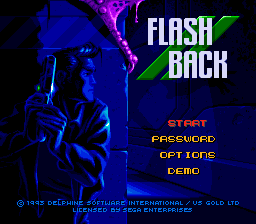
After the Title screen appears, an animation sequence begins. Press the Start button to jump to the Main Menu.
Main Menu
Use the Control Pad to highlight an option, then press the Start button to select the option.
•
Start: Select to start a new game.
•
Password Menu: Enter a password to start the game from the beginning of the level that the password corresponds to.
Password Menu Controls
•
Control Pad: Highlight a letter.
•
Y Button: Select the highlighted letter.
•
B Button: Backspace one space and erase one letter.
•
A Button: Clear all selected letters.
•
Start Button: Submit the entered password.
If the password is incorrect, you will return to the Main Menu. At the start of each level, a new password will appear at the top of the screen. Write it down for easy reference.
Interacting with Your Surroundings
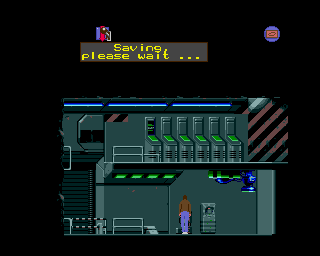
As you move through each level, you will come across many people and objects. Each time you come across one, its name and an icon will be displayed at the top left of the screen.
The icon explains which way you can interact with the object. Pressing the Action button performs the action indicated by the icon.
•
Take: Pick up an object (stone, key, etc.), and place it in your inventory. •
Look: Examine an object or a notice.
•
Activate: Causes some action to happen such as opening a door, calling an elevator, etc.
•
Recharge: Recharges your shield or cartridge. •
Use: Insert an object into a device meant for that purpose (i.e.: insert a key card into a card lock, a cartridge into a generator). It will also give an object to someone. Inventory Menu
To open/close the Inventory, press the Select button. At the start of the game, there are already several objects listed. As you find items while progressing through each level, they will be added to your Inventory.
At the end of each level, any unnecessary objects will be discarded and you may be given extra objects to help you complete the next level.
After opening the Inventory, use the Control Pad to highlight an object. Select the object and exit the Inventory by pushing the Select button. The last selected object will now be moved to the beginning of the Inventory. If you give away the object, the previously selected object becomes current again.
The current object is displayed at the top right hand corner of the play screen. Pressing the A, B, or Y button while in the Inventory menu will display the current score and difficulty level.
Miscellaneous Devices
•
Save: Saves the game where the station is.
•
Shield: The shield is an item in your Inventory. You start with 4 shields, and each time you are hit, you will lose 1 shield. If you have no shields left and you take a hit, you lose your life. You can recharge your shield using the energy generator. Death Hazards
•
Disintegrator: Loss of life if you touch this.
•
Electrified Floor: Run or jump over it.
Level 1 Walkthrough Continued
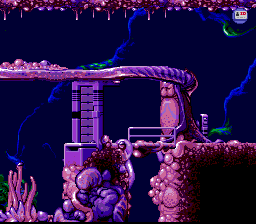
The stone will bounce off the wall and activate the pressure pad to bring the elevator down. Pick up the stone to raise the elevator and continue down to the elevator below. With the teleporter in your possession, continue downward. On your left is a ledge with the first save post. Jump onto it and save your game. Now go to the right and drop down the hole where the elevator used to be. Defeat all of the enemies and head right as far as you can. Pick up the 500 credits on the top right ledge. You will need to get the ID card from the wounded man. Go back to the first energy generator and move up and to the right. Give him the teleporter and he will leave his ID card for you to use later. Level 2 - New Washington
Conrad manages to find his friend, Ian, and recover his memory. He knows he must return to Earth to stop the alien conspiracy. Unfortunately the voyage to Earth is expensive. Conrad must earn credits by completing some jobs. Level 3 - Cyber Tower
Conrad is a contestant on The Cyber Tower television game show to try to win a free ticket back to Earth. The Cyber Tower is a dangerous labyrinth guarded by formidable replicants having the power to move at breathtaking speed.
Resetting the Game
When playing the game, you may re-set it by pressing Y, B, A and the Select button simultaneously. This will take you to the Continuation screen.
End of Game
If Conrad loses his life, the game is over, and the Continue screen will be displayed.
If you decide to continue, press the Start button to start the game from the last saved point or the beginning of the last level. If you do not wish to continue, press the A, B or Y button to speed up the counter.
 (En,Fr,De).png)

 (En,Fr,De).png)
 (En,Fr,De).png)
 (En,Fr,De).png)



.png)



 (Alt 1).png)