GETTING STARTED
MAIN MENU
Start a game or set game options.
•
To start a game with the default options, highlight START and press *.
•
To modify the game's default settings, D-Button to highlight OPTIONS, then press *.
NOTE: Default settings are listed in bold type in this manual.
STARTING A GAME
When you select START from the Main menu, the Number of Players/Difficulty menu appears.
Set Number of Players/Difficulty
•
To select the number of players: D-Button to highlight 1 or 2 players, then press *.
•
To select the level of difficulty: D-Button → to highlight EASY, MEDIUM, or HARD, then press *. The Play Mode menu appears.
Set Race Type
•
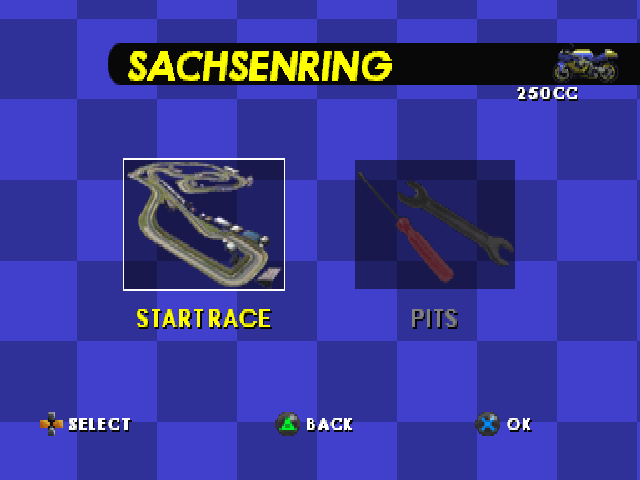
To select a race type, D-Button to highlight PRACTICE, SINGLE RACE, or CHAMPIONSHIP, then press *.
Select Your Race
•
To select a track in Practice and Single Race, D-Button ↔ until the track you want appears, then press X.
Select Your Bike And Controller Configuration
Choose from eight bikes. Each bike features individual strengths, which are displayed in a graph. The four varying features are Acceleration, Maximum Speed, Grip, and Brakes.
1. To select a bike, D-Button ↔ until the bike you want appears then D-Button ↓ to select a controller configuration.
2. To select a controller configuration other than the default, D-Button ↔ until the configuration you want appears.
•
To view the L1, L2, R1, R2 buttons, D-Button ↓.
•
To return to the button configuration, D-Button ↑; to return to bike selection, D-Button ↑ again.
3. To advance to the Select Your Gear Box screen, press X.
Select Your Gear Box
•
To select Automatic Transmission, D-Button ↔ to highlight AUTO, then press X. The race begins.
•
To select Manual Transmission (meaning you must manually shift at all times), highlight MANUAL, then press X. The race begins.
PAUSING THE GAME
•
To pause the game: press START. The IN-GAME OPTIONS menu appears.
•
Ambient Sounds: Background sounds.
•
Moto SFX: Engine sounds.
•
Voice: Commentator's voice.
•
Music: Set music volume.
•
CD Audio Tracks: Set background music.
•
Speedometer: Toggle Miles Per Hour or Kilometers Per Hour.
•
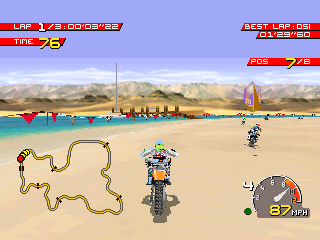
Map: Toggle onscreen map ON/OFF.
•
To select an option: D-Button to highlight the option you want.
•
To adjust levels for an option: D-Button ↔.
•
To toggle options ON/OFF, press ✖.
OPTIONS
•
D-Button to highlight an option, then press ✖ to select the option.
SOUND & MUSIC
•
MONO: Select monophonic audio.
•
STEREO: Select stereo audio.
•
SURROUND: Select surround sound audio.
•
MUSIC (Volume): To adjust music volume, D-Button ↔.
•
SOUND (Volume): To adjust sound volume, D-Button ↔.
•
TRACK: Choose from 8 soundtracks. (To sample a soundtrack, press ●.)
LOAD
Load a saved game.
SAVE
Save a Game.
SCREEN POSITION
Adjust the screen position to fit your television.
BEST TIME
View the best times for each track. (To change tracks, D-Button ↔.)
PLAYING MOTO RACER
Play Solo offers three unique race modes:
PRACTICE
Learn the tracks at your own pace, or race against the clock in Time Attack mode.
SINGLE RACE
Take part in one race on the track of your choice, where you face 7 computer-controlled opponents. Six tracks are available initially.
Moto Racer has different tracks – five Road tracks and five Motocross tracks. Additional tracks become available if you select Championship mode. THE CHAMPIONSHIP
This is where the good stuff happens. You race a mix of on- and off-road courses. Each time you finish in the top three on a given track, you move on to the next track in the Championship circuit. You can save the current championship at any time and continue with it later.
PRACTICE
For each track, a plan view is shown on the left and a photo of the track is shown on the right.
•
To select one of the available tracks, D-Button ↔ until the track you want appears.
•
To change the number of laps (between 1 and 8), D-Button ↕ until the number you want appears.
TIME ATTACK
If you complete the track, the computer saves your race. For each successive race, the computer displays a second “phantom” motorcycle that re-runs your best race. At the end of each trial, the computer memorizes the winner's race.
•
To enable or disable Time Attack mode, press ●. This mode is available only for a certain number of laps and varies according to the tracks.
NOTE: You cannot collide with the phantom bike.
SINGLE RACE
In Single Race mode, each track has a set number of laps. You race one race on the track of your choice.
•
To select one of the available tracks, press D-Button ↔ until the track you want appears, then press ✖.
CHAMPIONSHIP
The Championship is what separates the fast guys from the wannabes. You've got to be good
.png)

.png)
 (En,Fr,De,Es,It,Sv).png)
.png)
