Object of the Game
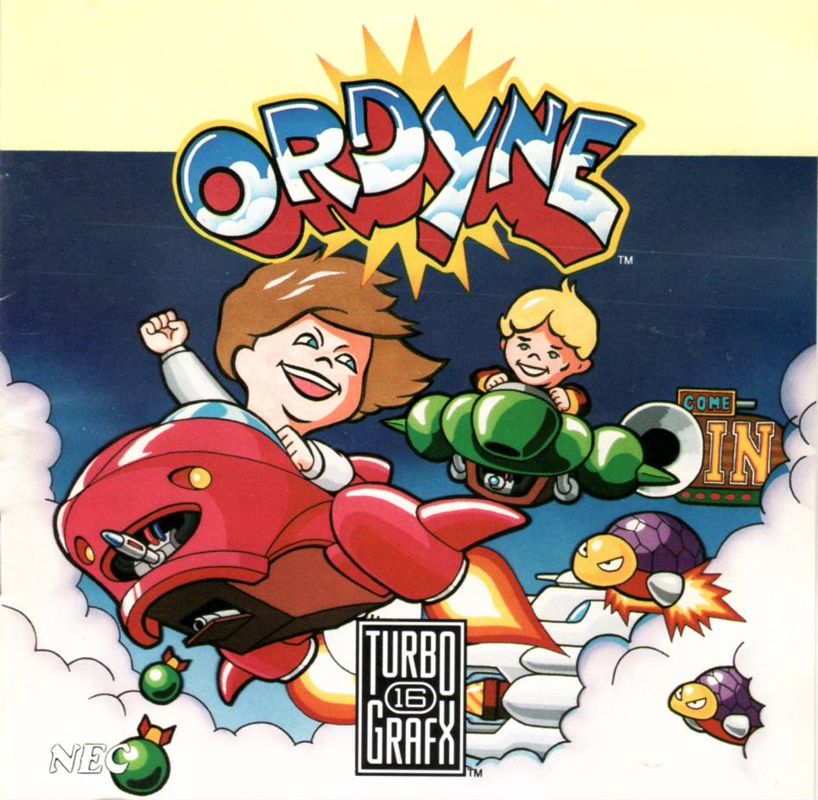
As Dr. Tomari or his assistant Felix, you blast off in search of Miss Kana. Journey through seven stages, using laser beams and bombs to defeat Kubota's followers and evil Bosses.
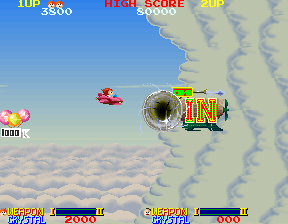
Pick up crystals along the way and trade them for power-up items at the Space Inn. Test your luck in the Space Lottery to potentially win more items. Finally, face the evil Kubota in Kubota World. Play alone or with a friend to score as many points as possible. •
Lose one ship when an enemy or bomb touches you, or when you collide with an obstacle (building, rock, iceberg, etc.).
•
The game ends when all ships are destroyed or when Kubota is defeated.
Two Player Requirements
•
A TurboTap Accessory is required.
•
An additional TurboPad Controller is required.
•
These items should be available where your TurboGraf-16 System was originally purchased.
Stages of the Game
Ordyne is divided into 7 separate stages. You must defeat an enemy “Boss” at the end of each stage to proceed.
Stage 1: Air-to-Air Combat
•
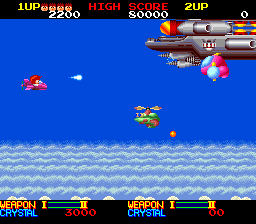
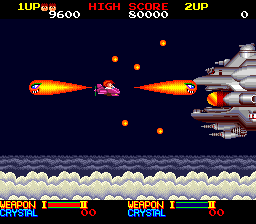
This ship has regular guns and a super gun emitted from the exhaust port.
•
Aim for the exhaust port to defeat this enemy.
Stage 2: Magma Cave
•
Watch out for hot lava rushing out of the cave.
•
The boss attacks with forward missiles and heavy armor initially, then hides in his shell to increase laser fire.
•
The Giant Turtle is vulnerable all over his body.
Stage 3: Water Castle
•
Enemy subs, mines, and mechanical fish will attack in underwater warfare.
•
You move more slowly in the water, so be careful.
•
Avoid the fireballs cascading down the screen from the rising and falling column.
•
Concentrate shots on the spiraling power beads in the center of the column.
Stage 4: Overwater
•
Boss: Information not specified in text
•
You fly over the water again, but can still take a dip if desired.
•
More airships appear in this round.
Collecting Crystals
•
Certain enemies produce crystals when destroyed.
•
Some enemies produce multiple crystals, while others require defeating an entire formation to release a single crystal.
•
Collecting crystals allows you to shop at the Space Inn. •
Use crystals to buy power-up items that increase speed, add firepower, or provide extra ships.
Shopping at the Space Inn
Enter the Space Inn through the trumpet-shaped entrance to select one of three displayed power-up items. •
Use the Direction Key to move the arrow to the desired item.
•
Select "YES" or "NO" with the Direction Key and press Button I again.
•
If you select "NO," the selection process restarts from the front of the store.
•
Use the new power-up item immediately upon leaving the store.
•
Select "EXIT" to leave the store if you do not want any displayed items or have insufficient crystals.
Dream Company Space Lottery
Use your crystals to enter the Dream Company Space Lottery to win power-up items or additional crystals. •
Pay the fee to start a 3-second countdown.
•
Press Button I when the "PUSH" light in the lower right-hand corner lights up.
•
This action determines your lottery number; you win the corresponding item if lucky, or lose nothing if unlucky. Weapon Acquisition Note
•
If you win a weapon, you will be asked if you want to use it immediately.
•
Select "YES" and press Button I to use it right away.
•
Select "NO" to save the weapon for later use.
•
If you select "NO" and later lose your ship, the lottery weapon will carry over to your next ship.


.png)
.png)


.png)




.png)








_1.png)