Getting Started
1. Turn OFF the power switch on your Game Boy® Color system. Never insert or remove a Game Pak when the power is on.
2. Insert the Game Pak of Bob the Builder™ into the slot on the Game Boy Color. To lock the Game Pak in place, press firmly.
3. Turn ON the POWER switch. The credit screens will appear (if you don't see them, begin again at step 1).
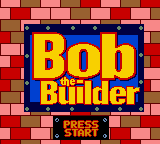
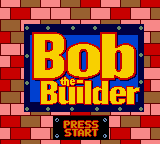
4. When the title screen appears, press START to proceed to the Main Menu.
Language Selection
Choose a language in which to play the game.
Use the Control Pad to highlight your choice. The current selection has Bob's trowel next to it. Press START to confirm your choice.
Main Menu
The Main Menu enables you to START the game, set up OPTIONS, enter a PASSWORD or view the game CREDITS.
Pressing up or down on the Control Pad moves the marker (Bob's trowel) to a particular item. You can then select the item by pressing START. For example, when START has the trowel marker beside it, pressing START begins the game.
Options Menu
The options menu enables you to switch the music and sound effects on and off and select the level of difficulty of the game—EASY, MEDIUM or HARD.
Use the Control Pad to move the trowel marker next to an item, and the A Button or B Button to scroll through the options. To leave this screen, select EXIT and press the A Button, B Button or START. Pressing START at any point on this screen also returns you to the Main Menu.
Starting the Game
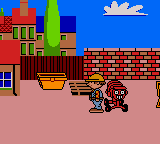
The game begins in Bob's yard. As Bob approaches each of the machines they burst into a smile ready to help in any way they can. Pressing START or SELECT by each machine will take you to a job featuring that machine.
Bob can also enter the office through the opening door. Here he finds plenty of work to do! As he walks around, the filing cabinet opens, a file slides out from the shelf, the computer switches on, a notice pops out from the notice board and a fax rolls out from the fax machine. Each of these corresponds to a different job to do. Again, you press START or SELECT to go to a job.
At the beginning of each job, a screen will explain what you need to do. At the bottom left and right of this screen are two small arrows. Use the Control Pad to highlight the left arrow and press START or SELECT if you want to return to the office or yard without playing the game.
Job Sheet
You can access the Job Sheet at any time by selecting the notice board on the far right of Wendy's office. Scroll up and down the menu using the Control Pad to review the jobs that have been done and press START when you've finished.
Status Bar
Each of the jobs features a status bar along the top of the screen. This shows you how much energy or time you have left and how many of the items required to complete the job have been collected. If there are any special items to find, such as a key to a secret room, this will be shown also.
Mrs. Potts' Fence
Mrs. Potts' garden fence has blown down. She has asked Bob to find the pieces so that it can be repaired—otherwise Farmer Pickles' dog, Scruffty, can sneak in and ruin her flower beds!
Bob must take care though, because Scruffty is running around and may knock him over. Each time Bob collects a piece of fencing, it's indicated on the status bar. Bob must collect all eight pieces in order to finish the job.
Bob can also find a special key with which he can enter a secret room. In the secret room Bob may find a power-up lunch box or possibly even one of the missing items! When the key has been collected, it is also shown on the status bar.
If Scruffty bumps into Bob, Bob will lose energy. If Bob runs out of energy, you can try again or move on to a different job instead.
•
Hint: Collect lunch boxes to gain extra stamina!
Mr. Dixon's Mail
Spud has tried to help with Mr. Dixon's mail delivery but accidentally put them in the wrong places. Bob has to find them.
Meanwhile, Pilchard is running around chasing her clockwork mouse and getting in Bob's way. The controls work in the same way as in the 'Mrs. Potts' Fence' game.
Feed Pilchard
Bob must collect all the herrings scattered around the woods in order to entice Pilchard down in time for the picnic.
Meanwhile, Squawk the crow is around and Bob has to duck to avoid him. The controls work in the same way as in the 'Mrs. Potts' Fence' game.
•
Hint: After you have collected all the herrings don't forget to go and get Pilchard.
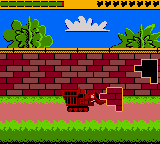
Muck Repairs a Wall
•
Note: To pick up a piece of wall you must lower Muck's digger and drive forward to collect it. To place the