WAR RECORDS
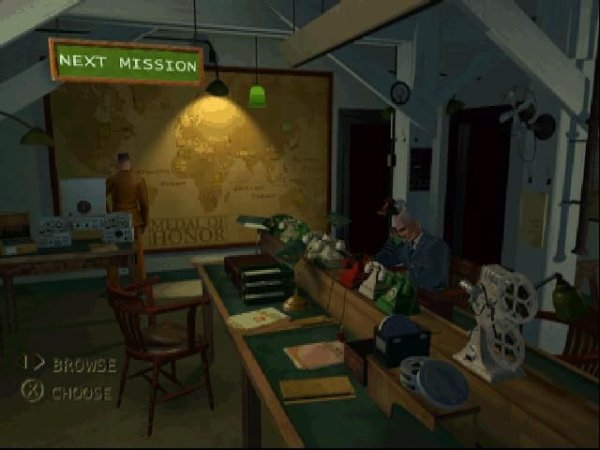
Here you can review your achievements, save and load games, or begin a new game.
•
Mission Log: Displays a list of completed missions, which are available for replay.
•
Personal Records: View a record of your performance and medals earned.
•
Load Game: Load a previously saved game (see the Saving/Loading Games section).
•
Save Game: Save the current game (see the Saving/Loading Games section).
•
New Game: Start a new game.
MULTIPLAYER
In Medal of Honor, you and another player can go against each other head-to-head using a variety of weapons. (See the Weapon Arsenals section). Note: Make sure that you have a controller in both Controller port 1 and Controller port 2 of the console before entering Multiplayer mode.
•
War Room: Return to the main menu.
•
Start Game: Throws you and your opponent right into a Multiplayer melee.
•
Uniform: Here Player 1 and Player 2 choose their multiplayer characters from initially one of seven uniforms. You can earn more uniform choices as you advance through single player games. All uniforms are equal in terms of character ability and weapon inventory.
•
Game Type: Select various options for combat.
•
(A) Select game type: Choose between a TIMED MATCH of 2, 5, 10 or 21 minutes or an unlimited time, or a FIRST TO X WINS match of 3, 10 or 21 wins.
•
(B) Select weapons (see the Weapon Arsenals section).
•
(C) Select theatre: Select the arena in which your battle takes place. Wind your way through labyrinthine cities, abandoned castles, mountain fortresses and more.
Note: There are a total of seven arenas; five are available to you initially, the other two you have to earn (see the Secret Codes section).
Vibration
When ON, your controller vibrates when a bullet hits you or when you fire a higher-powered weapon.
Note: Vibration only works with DUAL SHOCK analog controllers.
AUDIO
Volume
•
SOUND EFFECTS: Set game sound effects volume level.
•
BACKGROUND: Set soundtrack volume level.
Stereo/Mono
Select stereo or mono sound for the game.
Background
Select Music and Ambience if you want musical accompaniment in addition to sound effects, or Ambience Only if you want to turn off the music and hear sound effects only.
CREDITS
See the troops behind Medal of Honor. PLAYING THE GAME
With the Controller commands at your disposal, you are well equipped to meet the enemy. However, you need to know more than just how to aim and shoot to survive your missions.
PAUSE SCREEN
You may pause the game at any time during play by pressing the START button. The Pause Screen lists your objectives for the current level. A red box next to an objective indicates that you have completed that objective. The screen also lists the number of enemies neutralised for that level.
QUIT (RETURN TO THE WAR ROOM)/CONTINUE
From the Pause Screen you may quit your current game and return to the War Room or you may continue playing your current game.
•
To quit, Directional button LEFT/RIGHT to highlight Quit, then press the X button to select. On the next screen, Directional button LEFT/RIGHT to highlight Yes, then press the X button to select.
•
To continue playing your current game, press the START button at any time or Directional button LEFT/RIGHT to highlight Continue, then press the X button.
HEALTH
When a bullet hits you, your health meter drops (see the Compass section). To restore your health, look for the following items:
•
Medical Canteen: Restores 10% of your total health.
•
First Aid Kit: Restores 25% of your total health.
•
Field Surgeon Kit: Restores 50% of your health.
ALARMS
Certain facilities you infiltrate are equipped with alarm systems. If an enemy becomes alerted to your presence, he sets off an alarm to signal the others. You can turn off the alarm system, or even turn it on to draw out the enemy to where you are waiting for them.
Set off or disable all alarms by walking up to one and pressing the action button.
TIP: You can permanently disable an alarm by shooting it.
MISSION RATINGS
At the end of each level you receive a mission rating based on your performance during that level. Below are the ratings and how to earn them:
•
Good: Finish level and kill at least 95% of the enemies.
•
Excellent: Finish level, kill at least 95% of the enemies and finish with at least 75% health.
MEDALS
If you perform well enough in your campaign to disrupt the Nazi war machine and help end WWII, you may prove yourself worthy of the Medal of Honor. MISSION MEDALS
You win individual Mission Medals by completing a mission with Excellent ratings on two of three, or three of four, levels. There are a total of seven Mission Medals that you can win through the course of the game.