GET STARTED
MENU/SUB-MENU NAVIGATION
Throughout this manual, Up, Down, Left and Right will signify pressing Up, Down, Left and Right on the +Control Pad. To navigate through the game menus (i.e. Options), use the +Control Pad (Up, Down, Left or Right depending on the menu) to highlight a selection.
QUITTING A GAME IN PROGRESS
During the game, press START to display the Pause Menu. Press the +Control Pad Down to select MAIN MENU, then press the A Button. To confirm exiting the game, highlight YES, then press the A Button again.
STARTING UP
USING THE NINTENDO GAMECUBETM CONTROLLER
PERSONAL PROFILES
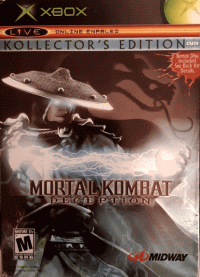
When you start up your Mortal Kombat: Deception game, it automatically loads any saved game data from the Nintendo GameCube Memory Card. If no previous MKD data can be found on the Memory Card, you will be prompted to create a new PROFILE KOLLECTION. When prompted, press the Y Button to create an MKD file to Memory Card in Slot A or the X Button to create a file to Memory Card in Slot B.
KOMBAT
At the Main Menu, highlight the option you'd like to select, then press the A Button. As you highlight an option, a brief description of its contents is displayed on the right side of the screen.
ARCADE
Select a fighter, and travel to many locations. Although the function of Arcade mode is for playing against CPU controlled opponents, a friend can still grab a second controller, and press START to join in. You'll go to the Fighter Selection Screen.
As you play Arcade Mode, you'll earn Koins along the way with each victory (note: be sure to load a profile first). Obviously, you'll want to win as many matches as possible to collect these Koins and purchase items in the Krypt.
VERSUS
Select this option to play against a friend (or enemy). You'll go right to the Fighter Selection Screen.
Press the Z Button to view the Background Selection option. Press the +Control Pad Left or Right to cycle through available arena backgrounds. When you find the background you want to use, press the A Button to regain access to the Fighter Selection screen.
PRACTICE
Even if you're a Mortal Kombat veteran, you may require some practice, so select this option, select a fighter and get some practice. After selecting this option, you'll go to the Practice Mode Fighter Selection screen. Highlight the fighters you'd like to use for your practice, then press the A Button. As you fight, you'll notice that there is no Timer, and the Practice Opponent's Health Bar will refill automatically when drained. You can battle as long as you like until you're comfortable. Controller buttons appear on-screen as you press them, so you can learn which button combinations produce certain moves. Practice is a useful game mode to get familiar with the fighters.
CHESS KOMBAT
Mortal Kombat: Deception includes this all-new MK game. Up to two players will LOAD or CREATE a team of five fighters: a GRUNT, SHIFTER, SORCERER, CHAMPION and LEADER. The object of the game is to fight your way through the team in an effort to confront and defeat the Leader. Once you've created a team, you'll be prompted to Save the team to your profile. Select YES, if you'd like to have the option to load the team the next time you want to play Chess Kombat. You must have a Memory Card inserted to save a Chess Kombat team.
SETTING THE TRAP
Before the match begins, you'll be prompted to set a trap on the square of your choice. Opposing players that occupy that square die immediately. To set a trap, highlight the desired square, press the B Button to select then press the A Button.
Also, you can pretend to set a trap by pressing the X Button. A ping will sound to confuse your opponent. Remember, a Trap can only be set on your side of the board.
THE BATTLES
Each player will take turns moving fighters. Highlight a fighter, then press the A Button to make a selection. At this point, arrows will show you which squares are available to move your fighter. Highlight the square you want to occupy, then press the A Button again to move the player.
Once two opposing players occupy the same square, they will battle in Kombat mode to decide who will win the square.
SPELLS
Press the L Button to display the Spells Menu. A spell can be used only one time during the match, so use them wisely. When you select a Spell, on-screen instructions tell you how to go about using the spell.
NOTE: Spells are cast by the two Sorcerers. When they die, their list of spells are no longer available.
GREEN CELLS
The Green Cells on the board provide a +100 Health to the player that occupies the square. All other characters owned by that player receive +25 Health. If an opponent occupies the green cell, you'll need to win the square and obtain the +100 Health for that character, as well as the +25 Damage increase to the rest of the characters on the opposing team.
PUZZLE KOMBAT
The objective is