System Components
Getting Started
Set up your PlayStation®2 computer entertainment system according to the instructions supplied with your system. Check that the system is turned on (the on/standby indicator is green).
Insert the Aqua Teen Hunger Force: Zombie Ninja Pro-Am disc in the system with the label side facing up. Attach game controllers and other peripherals as appropriate. Follow the on-screen instructions and refer to this manual for information on using the software.
Memory Card
To save game progress, insert a memory card (8MB) (for PlayStation®2) into MEMORY CARD slot 1 of your PlayStation®2 system. You can load saved game data from the same memory card or any memory card (8MB) (for PlayStation®2) containing previously saved games.
Quitting a Game
During the game, press the START button to display the Pause Menu. Press the directional buttons ↑ or ↓ to select Main Menu, then press the Ⓧ button.
Main Menu: Single Player
New Game
Once New Game is selected, you'll then need to select a slot to save data to your memory card. Once you select a slot to save your profile, the game will begin.
Load
If you've previously played and saved a game, you can use this option to select the saved game from your memory card. Choose the slot that displays your saved game, and continue from the beginning of that level.
Save
You can manually save your game. Select an empty slot, then press the button to save to that slot. You can also overwrite an existing saved game.
Continue
If you've previously completed levels, you can select Continue and choose to play any completed level again from the beginning.
Main Menu: Multiplayer
Up to two players can select one of three Characters and hit the links. Once you select a character, you can select a Skin to vary the look of your character.
Handicap
After you've selected your characters, you have the option to set a Handicap. Move the slider to add or subtract strokes for that player.
•
In order to access Multiplayer, you must have a second controller connected to your PlayStation®2 computer entertainment system.
Main Menu: Options
Volume Levels
Highlight Music, Effect or Voice Volume, then press the directional button or ➡ to adjust the audio level.
Auto Save
Turn this option On or Off. When this option is Off, you'll need to manually save your game using the Save option on the Main Menu.
Vibration
Toggle On or Off the Vibration feature on your DUALSHOCK®2 analog controller.
View Controls
Press the directional buttons or to cycle through and view the Combat, Racing and Golf controller configurations.
Main Menu: Extras
The Extras menu lists five categories of Unlockable items: Cameo, Broodwich, Movies, Artwork and Episodes. As you progress in the game, you can unlock items listed in each of the five categories.
Come back to this menu often to see what you've unlocked. You can then view unlocked items, such as TV clips, artwork and movies.
Main Menu: Credits
View the names of those who worked long hours to bring you Aqua Teen Hunger Force: Zombie Ninja Pro-Am.
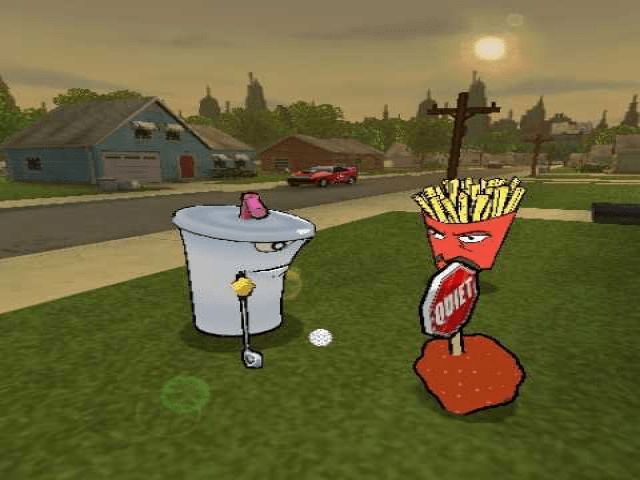
Golf HUD
1.
Club in Use
Press the L1 and R1 buttons to cycle the available clubs.
2.
Swing Meter
Press the Ⓧ button once to start your backswing, press it again to stop your backswing then press a third time as it reaches the small red section on the right. A red flag displayed on the meter indicates the spot where you should stop your backswing for optimal distance. Black markings correspond to the markings on the Shot Indicator and are displayed to help you fine tune your distance. If your timing is good, you'll achieve an optimal swing. Bad timing equals a bad swing.
Combat HUD
1.
Health Meter & Lives Remaining
As your character takes on damage, he'll look more and more injured. Grab some Enchiladitos, and he will look better. Your Lives Remaining (x2, x3, etc.) is displayed to the right of the Health Meter. 2.
Boss Health Meter
You'll need to completely diminish the red portion of this Health Meter to vanquish your foe.
3.
Score
As you battle your enemy, you'll earn points toward your score.
4.
Weapon
Press the L1 and R1 buttons to cycle through your available weapons.
5.
Radar
The radar indicates where your opponents are located at all times. The green triangle represents your line of sight. The white dot indicates the current location of your ball. Red dots represent each enemy within range and yellow dots represent pick-ups.
.png)

.png)
.png)
.png)
.png)
.png)
.png)


.png)
_1.png)

.png)
.png)

.png)
.png)

.png)

.png)
.png)