Getting Started
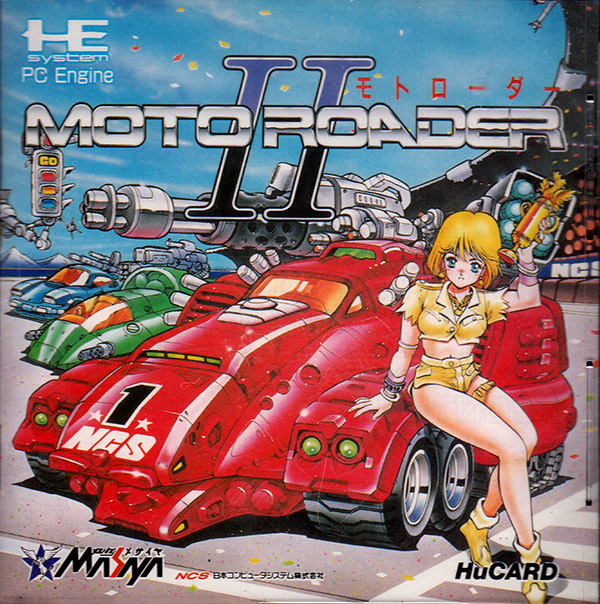
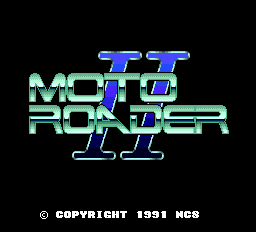
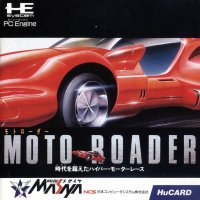
Thank you for purchasing the PC Engine software "Moto Loader II" by NCS. Please read this User's Manual carefully before use to enjoy the game correctly. Precautions
•
Turn off the power before replacing the card.
•
Avoid use or storage under extreme temperature and humidity, strong shocks, or bending, as it is a precision device.
•
Do not touch the card terminal portion or expose it to water to prevent malfunctions.
•
Do not wipe with volatile oils such as thinner, benzene, or alcohol.
•
Stay about 2 meters away from the TV screen for your health and take adequate breaks during extended play sessions.
Copyright
•
COPYRIGHT 1991 NCS Corp. MADE IN JAPAN •
Unauthorized reproduction by our company and use in lending businesses are prohibited.
How to Play: Course Select
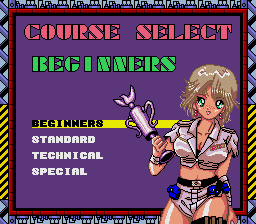
Moto Loader II features four types of courses. The champion is determined after eight races for each course. New players should start with the 'BEGINNER' course, while experienced players can try the others.
Entry Registration
Register the players who will participate in the race. Press the I button to enter before the remaining time in the bottom right of the screen reaches 0. Pads not registered will be handled by the computer as rivals. After participation is decided, input names one by one.
•
Names are limited to up to 5 characters.
•
You cannot use the same name as another player.
Shop
Buy parts to power up your vehicle or sell parts you no longer need. Make purchases carefully within the scope of the funds displayed in the bottom right of the screen. For detailed shopping instructions, refer to the "How to Shop" section.
Parts Setup
Choose which parts to equip for the next race from among your inventory. First, select a chassis, then choose the parts to attach to it. Specific tires, engines, and bodies are exclusive to each chassis, so verify compatibility carefully.
Race
The race begins! Press the II button to accelerate and release it to brake. Use the left and right direction keys to steer and dodge obstacles while advancing.
•
Press Up + I to use Option 1.
•
Press Down + I to use Option 2.
The numbers at the bottom of the screen indicate the damage meter. If it reaches 0, the vehicle explodes and you are out of the race. Damage is fully recovered by the next race even if you retire.
Multi-Tap Usage
When playing with more than two people, use the separately sold Multi Tap. Insert the Multi Tap into the controller port of the PC Engine main unit, then insert the controllers into the Multi Tap ports. •
Playing with two people is more fun than one, and three is even more fun.
•
For 2-player multi-taps, locations and car colors are limited to Red and Blue.
•
For 3-player multi-taps, locations and car colors are limited to Red, Blue, and Green.
Car Color Selection
Your car color is determined by where you plug in the controller. Decide the color of the car you want to play with and plug it into the corresponding port.
Controls
•
Press the RUN and SELECT buttons simultaneously to reset the game and return to the title screen.
•
Both Pause (temporary stop) and Reset are valid from any connected controller.
Parts Selection Details
After shopping at the SHOP, set the parts and items you want to use on the vehicle body.
•
First, decide which vehicle body to use for the next race (sport car, tank, or hover).
•
If your desired vehicle body, parts, and items are already selected, you can exit here.
•
Set parts using the Up/Down direction keys and confirm with the 1 button.
•
You can hold a total of 14 parts and items; items not displayed on the screen can still be selected with the Up/Down keys.
Course and Round Data
Each course is composed of 8 varied rounds. The following data is provided for reference.
Beginners
Standard
•
R4: Ruins → Volcano → Highway
•
R5: Highway → Savanna → Volcano → Ruins → Tundra
•
R6: Savanna → Ruins → Tundra
•
R7: Tundra → Highway → Savanna
•
R8: Ruins → Volcano → Highway
Technical
•
R1: Volcano → Savanna → Ruins
•
R2: Highway → Ruins → Volcano
•
R3: Tundra → Volcano → Highway
•
R4: Savanna → Highway → Tundra
•
R5: Savanna → Tundra → Ruins → Volcano → Highway
•
R6: Volcano → Ruins → Highway
•
R7: Tundra → Savanna → Ruins → Volcano
•
R8: Tundra → Volcano → Savanna → Ruins → Highway
Special
•
R1: Highway → Savanna → Volcano → Ruins