Game Setup
Set up your Game Boy® Advance according to the instructions in the Nintendo instruction manual. Ensure the power is OFF before inserting or removing a Game Pak.
1. Insert the LEGO® Bionicle Game Pak into the Game Boy® Advance.
2. Switch on the console. The green light on the right-hand side of the screen should light up to indicate power.
Quick Start
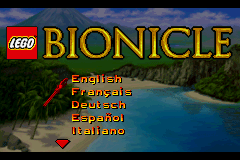
1. On the Language Select Screen, use the Control Pad to highlight your language and press the A Button to select it.
2. Press START on the Title Screen to access the Main Menu.
Main Menu
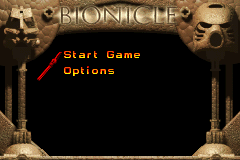
Press START on the Title Screen to access the Main Menu. Use the Control Pad to highlight a menu option and press the A Button to confirm.
•
Start Game: Select this option to display the single-player game options.
•
Options: Choose Options to turn sound and music on and off.
•
Mini Games: Select from multiplayer mini games unlocked for play. Multiplayer games are unlocked during the single-player game.
•
New Game: Select this to begin a single-player adventure mode game.
•
Training: Select this to play just the training level. This is also included in the New Game selection.
•
Load Game: Select this to continue a saved game. This option is unavailable until a game has been saved.
•
Delete Game: Choose this to delete a previously saved game. This option is unavailable until a game has been saved.
Starting the Game (Single Player)
•
Name Character Screen: Give your tribesman a name using the Control Pad to highlight letters and press the A Button to confirm. Highlight END and press the A Button to accept.
•
Create Player Screen: Build your tribesman by selecting arm, mask, and leg colors. Press the A Button to continue once satisfied with the combinations.
Playing the Game (Single Player)
•
Walking: Use the Control Pad to walk around.
•
Reading Signs and Talking: Press the A Button to read signs and talk to characters.
•
Ducking: Press the A Button over open ground to duck.
•
Jumping: Press the B Button to jump.
Pausing and Saving
•
Pausing the Game: Press START to pause the game.
1. Press START to open the Pause Menu.
2. Highlight SAVE GAME and press the A Button.
3. If a save exists, select "No" to keep the previous game or "Yes" to overwrite it.
4. "Save successful" will appear when complete. Press the A Button to continue.
Accessing Inventory
1. Access the Inventory menu by pressing SELECT or choosing INVENTORY from the Pause menu.
2. Use the Control Pad to highlight different inventory items.
3. Press the L Button or R Button to assign highlighted tools to the desired button.
4. Press the A Button to use highlighted inventory items.
Link Play: Mini Games
As you explore the six villages of Mata Nui, exciting mini games become available. These can be played in single-player mode or with up to three other players using Game Boy® Advance Game Link® Cables.
Connecting via Game Boy® Advance Game Link® Cable
•
Required Items (sold separately):
•
2-4 Game Boy® Advance systems
•
2-4 LEGO® Bionicle Game Paks
•
1-3 Game Boy® Advance Game Link® Cables
How to Connect
1. Confirm that the Game Boy® Advance systems are OFF and insert the Game Paks.
2. Insert the required Game Link® Cables into the External Extension Connector (EXT) on all systems.
•
Note: Player 1 (the "Master") uses the purple connector. Players 2, 3, and 4 (the "Slaves") use the gray connectors.
How to Play
1. At the Main Menu, all linked players must highlight MINI GAMES and press the A Button.
2. All Slave players must highlight MULTIPLAYER and press the A Button to enter "Wait Mode" (displaying "Please wait").
3. The Master player must highlight MULTIPLAYER and press the A Button. All available Mini Games will then be displayed.
4. The Master selects a Mini Game and presses the A Button to start.
Mini Games
Koli Football - Po-Koro Village
Compete to knock stone balls into opponents' goals. The player with the least rocks in their goal wins.
•
Regular Kick: Press the A Button.
•
Block: Press the B Button.
•
Short Kick: Press the L Button.
•
Backward Kick: Press the R Button.
•
Aim: Press and hold the A Button to display a cross, then move it with the Control Pad.
•
*Strategy*: Angle shots off walls, destroy rock goal protectors, and block flying rocks to avoid being knocked over.
Huai Snowball Sling - Ko-Koro Village
In Ko-Koro, players race as snowballs. Getting struck causes you to collect snow; too much snow turns you into an out-of-control giant.
•
Change Direction: Use the Control Pad.
•
Throw Snowball: Press the A Button to move in the opposite direction.


 (En,Fr,De,Es,It,Nl,Sv,Da).png)
 (En,Fr,De,Es,It,Nl,Sv,Da).png)

.png)
 (Rev 1).png)
 (Rev 2).png)
_1.png)
 (Rev 1).png)









.png)



 (En,Fr,De,Es,It,Nl,Sv,Da).png)
