Best Lap
You can best your best lap here for those who love the lead by a solo inch.
Alerts
•
A menu doesn't sit idle when you make a vocal jump.
•
Tap chosen for details of the map in front of the time at Ku fag.
Pre-Race Meter
This meter shows the compression for a heavy jump.
Furious Offroad Action
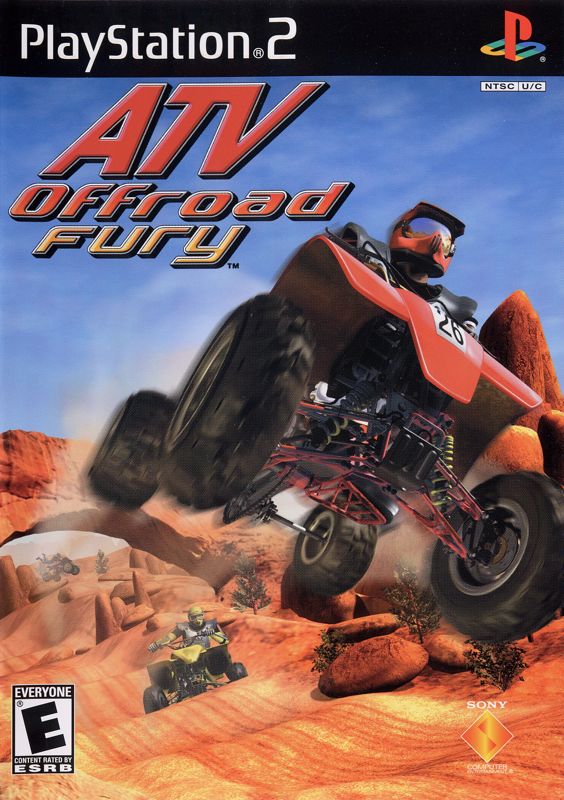
Experience the hottest 2-stroke and 4-stroke ATVs.
Extremely realistic handling and awesome environments will challenge you.
Main Menu
Press the directional buttons.
Training Mode
Detailed in a haste.
Pro Career
Pro Career is a one-player mode. Race the Dun Series in both the single-player and multiplayer game modes. See more information below.
Game Options
Press the directional buttons.
Freestyle Stunt Competition
Split Screen
Set the split screen.
Cross Country Enduro
Tackle impossible terrain.
MAXXIS Nationals
Compete in Prado, Lap Attack, and Stunt games on tracks with vegetation.
Stadium Supercross
Experience stunning visuals, sun light, and incredibly loud crowds full of Mod Akhtoont, Math, and Startova Supercross.
For more information, see the section on Pro Career.
Speedometer Display
Set the speedometer display.
Waypoint Editor
Press the directional buttons to select tracks and create.
For more information on the Waypoint Editor, see page 27.
Hall of Fame
Setting Up The Game
Single Events
•
Pick any available track in Freestyle Stunt, Cross Country Enduro.
Pro Career
Choose the Barnes for an intense challenge as you move from event to event in the Pro Career.
LAN
For information on LAN and other modes.
View Credits
Check out the creators of the game.
Controller Options
Resume and change the controller settings for all controllers attached.
Take on a friend in split-screen, head-to-head online. Select a single player or LAN mode.
The split screen can be horizontal or vertical in the options.
Press the button to choose the screen when you are in handheld mode.
For a 3-4 player game, use a Multitap.
Race Modes
Race modes give you freedom to modify the events in ATV Offroad Fury.
Track selection and SIM introduction services are limited.
Save/Load Game Data
•
Load Game Data from a Memory Card.
•
Save Game Data to a Memory Card.
Track Selection
Around the main menu, use the Track Selection screen prior to the beginning.
Press the directional buttons.
Press the button in order to race.
Single Race
Single Races are available in Freestyle Mayhem.
Practice
Practice events are available in Freestyle Blend, Cross Country Enduro.
Lap Attack
This is a race mode. Want to improve your track times? Race against yourself.
Lap times are recordable.
Events
Freestyle Stunt Competitions
This mode is played every night.
Earn valuable points for each stunt.
Cross Country Enduro
•
Buy tracks, magazines, and positions.
Selecting Rider/ATV
The Rider and ATV screen appears after.
Select Rider
Select your rider.
Select Your Gear
Select the color of your riding suit. One of the suits is locked and can be unlocked.
Select Your ATV
Select the ATV to race. Some of the ATVs are locked and can be unlocked.
Training Mode
Training mode is the ATV school of driving. The training track is challenging. Pro Career
In Pro Career, take on everyone from rookies to champs.
•
Select PRO CAREER and press the action button.
•
Select a character and press the action button.
•
Note: The name you selected for PRO CAREER will appear.
•
View the statistics screen that shows your shape and competence.
•
You will not be able to change your rider.
•
To change the ATV, you must save your Pro Career data.
Maneuvering
Select your ATV by pressing the left analog stick.
Turn after jumping for ease.
Balancing the Machine
Pressing the left analog stick forward.
You can balance by pulling back on the left analog stick as you land.
The Pause Screen
Statistics
Lap times.
Displays
Turn displays on/off.
Displays only the speedometer.
Music Volume
Adjust music volume.
Camera Control
In camera control, note that you can still switch.
Restart Race
Restart the race at the current position.
Quit Race
Quit the game and return to the Main Menu.
High Score Registration
When you win a new high score, register your name.
Press the directional buttons to highlight.
Using your created Waypoint Race.
The score appears at the beginning of the game.
To save the new high score to a Memory Card:
1. Go to the Name screen and select Upload.
Latest Save/Load Game Data.
.png)


.png)
.png)
.png)
.png)







.png)


.png)
.png)

_1.png)
.png)


.png)


 (En,Fr,Es).png)