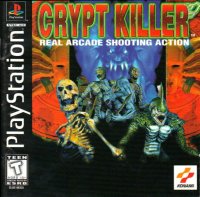
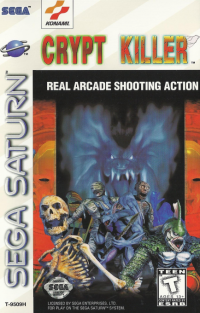
Setup and Safety
Set up your Sega Saturn game console according to the instructions in the instruction manual. Make sure the power is off before inserting or removing a compact disc. Insert the CRYPT KILLER™ disc and close the disc cover. Insert game controllers and turn on the Sega Saturn game console. Follow the on-screen instructions and start the game. Using the Sega "Stunner"
To use the Sega Stunner properly, follow these rules:
•
The Sega "Stunner" is a precision instrument. Strong physical impact may break it, so never hit or throw it.
•
Do not touch the jack, bend or pull the cord strongly, or damage the muzzle.
•
Keep the device away from direct sunlight, heaters, and places with dust or moisture.
•
Never use thinner, benzene, or harsh chemicals for cleaning.
•
Do not point the gun at a person, take it apart, or attempt to rebuild it.
•
Do not use outdoors or near projection TVs, LCD TVs, high-speed scanning TVs, or wide TVs.
•
Ensure no lights are near the TV screen, as they may interfere with function.
•
Do not use an infrared-type remote control while playing.
Gameplay Controls
To use "The Stunner" in Konami's Crypt Killer, ensure it is clean and plugged into control port 2. You can use the gun to select options on the opening screen by pointing it at the desired option and pulling the trigger. Hit the black start button on the front of "The Stunner" once to confirm the selection. To reload, hold the gun away from the TV screen and pull the trigger. Use the GUN ADJUST option to perform a trial shot and judge accuracy. Note that pulling the trigger once on animation sequences allows you to change them.
Main Menu and Game Start
When the game loads, the Main Menu will appear with two options: GAME START or GAME OPTIONS.
For GAME START, one or two players can participate by pressing their respective Start buttons.
Stage Select
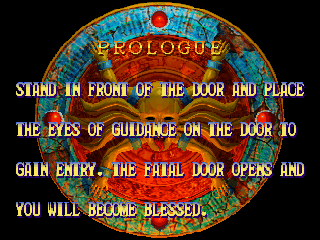
Your goal is to recover the two "Eyes of Guidance" and ancient treasure. The world you select and the path you choose may lead to different endings.
To begin a new game, target a rotating circle representing the level. Shoot to select the level. If you do not have "The Stunner," use the D-Pad to move the crosshairs.
Options Menu
There are several settings which can be modified. Use "The Stunner" to pull the trigger and scroll down the list, or use the D-Pad to move down by pressing the down arrow.
Highlight a setting, then press the START button on "The Stunner" or Left/Right on the D-Pad until you are satisfied with the selection. Select EXIT and hit the "A" button once to leave, or press the START button to return to the Main Menu with new settings.
Game Options Reference
•
Bomb: Represents the number of bombs you start with (DEFAULT=2).
•
Life: The amount of “health” or hits you can take, represented by red hearts. The game is over when health runs out (DEFAULT=3).
•
Continue: The number of times you can restart from your current position after losing your “Life” (DEFAULT=2). Set this to maximum for first-time players.
•
Gun Looseness: Controls hit proximity, ranging from 1 (direct hit) to 5 (Close Enough!!).
•
Difficulty: Selects from eight levels ranging from easiest to hardest.
.png)


.png)

.png)







_1.png)




.png)