Starting Up
Set up your Sega Saturn™ system as described in its instruction manual. Plug in Control Pad(s) and use a Team Player multi-player adapter to play with more than 2 players. Note that Space Jam is for up to 6 players. Place the Space Jam disc, label side up, in the well of the CD tray and close the lid. Turn on the TV or monitor and the Sega Saturn™. The Sega Saturn™ logo appears on-screen. If nothing happens, turn the system off and ensure it is set up correctly before turning it on again. If you wish to stop the game in progress or the game ends, press the Reset Button on the Sega Saturn™ console to display the on-screen Control Panel. Disc Care
Your Sega Saturn™ CD contains a security code that allows the disc to be read. Be sure to keep the disc clean and handle it carefully. If your system has trouble reading the disc, remove it and wipe it carefully, starting from the center and moving straight out toward the edge. Title Screen and Navigation
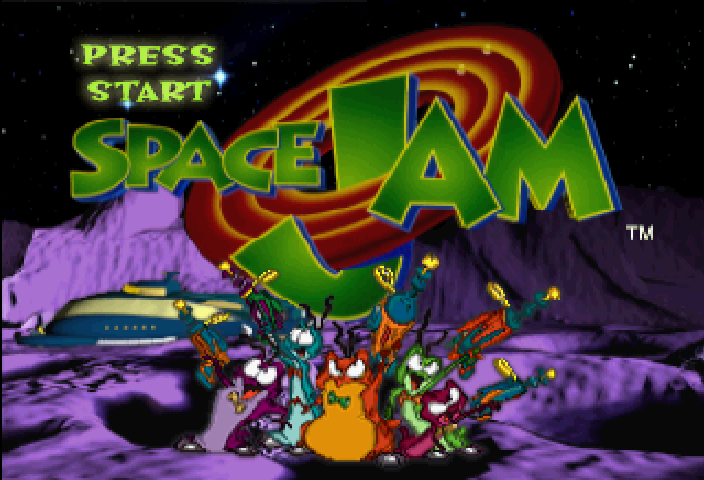
A brief introductory sequence will play; press START to bypass it. When you see the Title Screen, press the START BUTTON to access the Main Menu, which features PLAY GAME, OPTIONS, and INTERGALACTIC TOURNAMENT.
Highlight your choice with the D-PAD and press the A, C, or START BUTTON to select it.
•
PREVIOUS MENU: Press the B BUTTON.
•
PAUSE GAME: Press the START BUTTON.
•
RESET TO MAIN MENU: Hold START and press A, B, and C BUTTONS simultaneously.
Playing the Game
Highlight PLAY GAME and press the A BUTTON to jump into action.
Options Menu
Options are divided into three sections at the bottom of the screen. Highlight one and press the A, C, or START BUTTON to access it. Press the B BUTTON to return to the previous screen when done.
To set an Option, highlight it by pressing UP or DOWN on the D-PAD, then toggle settings by pressing LEFT or RIGHT.
•
GAME TYPE: Choose between 2-on-2 and 3-on-3 action.
•
SUBLEVELS: Choose to play a straight four-quarter match (OFF) or break up the game with power-enhancing sub-levels (ON).
Team and Player Selection
You must choose which team to play on and which character to control. When using the Team Player adapter, up to six players can compete (3 per team).
Choose your team with the D-PAD, then press the START BUTTON. A player portrait with attribute ratings will appear. Scroll through players with the D-PAD, then press the A or C BUTTON to select your character. Continue until all players have chosen, then press A or C to exit.
Substituting Players
Between quarters, you may substitute a fresh player for a current one. Select Substitute Players and press the A or C BUTTON.
Press LEFT or RIGHT at the Substitution Screen to scroll to the player you wish to remove, then press A or C. Toggle to the player you wish to bring in and press A or C. Press the START BUTTON to exit.
Note: Player 1 must select Substitute in order for other players to do so.
Player Attributes
Each player has differing amounts of the following attributes, shown by the number of basketballs:
•
SPEED: Rates a player's speed on the court.
•
SHOOTING: Rates a player's shooting percentage.
•
REBOUNDS: Rates a player's ability to grab the rebound.
Game Modes
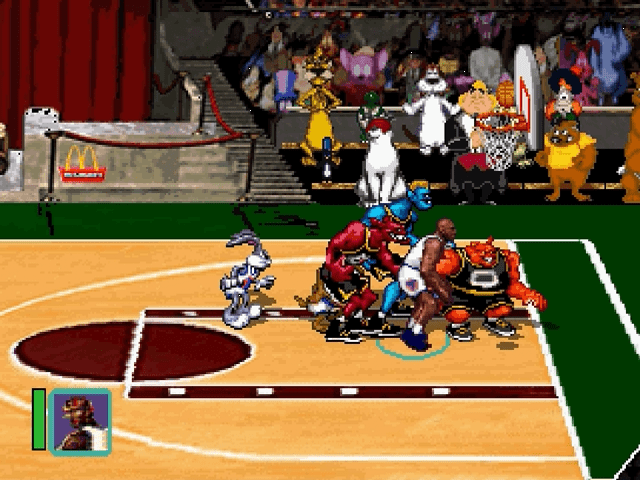
Space Jam features 4 quarters of action between the Monstar aliens and the Tune Squad (with Michael Jordan). You can also compete in up to 5 different games-within-a-game by choosing the sublevels option ON. Depending on your team, you'll help or hinder the toons. You can also compete in the Intergalactic Tournament to guide the Tune Squad to five straight wins.
Note: In a multiplayer game, only the player with the lowest controller number on each team competes in Trophy Room, Locker Room, and between-quarter sublevels.
The Trophy Room
Before the Big Game, Daffy Duck attempts to retrieve Michael Jordan's equipment from his trophy room to supercharge him. Daffy must contend with Charles the watchdog, squeaky toys, and a nasty Nerdluck. Daffy has limited time to get the items before the timer runs out. Watch out for Charles, as nips from the pup will slow you down. Note: At least one player must be on the Tune Squad to enter Trophy Room play.
•
TOON HINT: Use your wits and imagination. You may have to use furniture to succeed.
•
NERDLUCK HINT: Put squeaky toys near items Daffy needs to collect. Daffy's Controls
•
Jump/Open Drawer: C Button
Nerdluck Controls
•
Jump/Open Drawer: C Button
Half-Time Locker Room Rumpus
Midway through the game, both teams want extra oomph. If you are on the Tune Squad (Bugs Bunny), find Michael's water bottles filled with "Secret Stuff" to increase your Turbo power. If you are on the Monstars team, you control the "Super essence" purple vapor to increase the Monstars' Turbo. It is a race against time and your opponent's tricks.
Note:




.png)









.png)