GETTING STARTED
Set up your PlayStation™ game console according to the instructions in its Instruction Manual. Make sure the power is off before inserting or removing a compact disc. •
Insert game controllers and turn on the PlayStation™ game console. •
Follow on-screen instructions to start a game.
THE CONSOLE
Starting a Game
1. Insert Dynasty Warriors CD (label side up) into system. If you wish to be able to save your game data, insert a memory card (sold separately) into the system. 2. Turn on the PlayStation console. Wait several moments and the game's opening sequence will begin playing. Pressing the START button will skip to the Title Screen. Press START again to display the Mode Selection Screen. 3. Using the directional pad, choose an item from the Mode Selection menu, then press the START button to select.
4. In the Character Selection Screen, choose your character with the directional pad, then press ☑ to select. will select the character in the alternate color.
GAME BASICS
VICTORY CONDITIONS
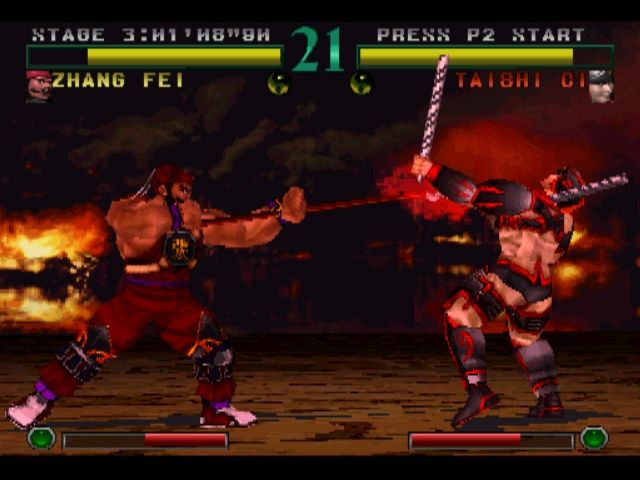
The game is divided into stages and rounds. Once you win the necessary number of rounds, you complete your current stage, and then advance to the next stage.
•
Reduce opponent's Life Meter to 0.
•
Have more life than opponent when time runs out.
•
Win necessary number of rounds.
Game characters are grouped according to the historical story of the Romance of the Three Kingdoms. The color-coded character names indicate the grouping: Yellow: Shu Kingdom, Green: Wei Kingdom, Red: Wu Kingdom, Blue: Others. In 1P Battle, your character will only fight warriors from other kingdoms. CONTINUE
Press START at the "CONTINUE" prompt to continue your game.
DEFENSE
To block high or mid attacks, the directional pad must be either neutral or (away from your opponent). To block low attacks, the directional pad must be or.
PARRY/REDIRECT
Slashes and thrusts may also be countered by parrying and redirecting, respectively.
•
Countering a thrust with
With a successful counter, you will off-balance your opponent. If you use the wrong countermove, however (trying to parry a thrust or redirect a slash), you will off-balance yourself instead. Low attacks may not be countered.
GETTING UP
Use these commands when knocked to the ground.
•
Roll forward while getting up.
•
Roll backward while getting up.
•
Roll to the side while getting up.
•
A Do a high attack after getting up.
•
Do a low attack after getting up.
•
Combine with another button to get up more quickly.
Special Icons
•
Use same character as last time.
•
Random character select.
GAME MODES
1P BATTLE
Play against computer-controlled opponents.
VERSUS
Play against a human opponent. After selecting your character, use the directional pad to select your handicap level if the handicap option is ON in the Options menu. The lower the rating, the less damage your attacks do (but the higher the low Life Meter requirement is for a Musou Attack).
TEAM BATTLE
Play a team battle against the computer or another player. Each team may select 3 members. You may not have more than one of any character on the same team. A team battle continues until either team loses all three fighters. You may adjust the level of life recovery after each victory with Options - Configuration - Recovery.
TOURNAMENT
An 8-character elimination tournament. A tournament may not have more than one of any character. After all players have selected their character(s), you may assign the remaining character slots to the computer (characters will be assigned randomly) by selecting. The initial match-ups in the tournament will be assigned randomly.
TIME TRIAL
Finish the game in as little time as possible. You must win 2 rounds in each stage. Game difficulty settings do not affect this mode.
ENDURANCE
With a single character and a single life bar, defeat as many computer-controlled opponents as you can. Each stage is a single-round match. Game difficulty settings do not affect this mode.
PRACTICE
Practice using a character. During a practice session, press the SELECT button to call up the Practice Menu, in which you can change the following settings:
•
OPPONENT Set the skill level of your opponent. When set to "NONE", your opponent will not attack at all.
•
MUSOU Turn ON/OFF Musou Attacks (see p.9).
•
COUNTER Turn ON to observe the damage caused when an attack is executed as a counter attack. A counter attack causes greater damage (red numbers).
•
DISPLAY Turn ON/OFF your command input display at the bottom of the screen.
•
CHARACTER CHANGE Exit the session to select a new character to practice with.
•
EXIT Exit out of the Practice Menu.
.png)

.png)






.png)











_1.png)