Multiplayer
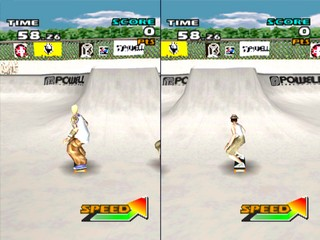
Two players can play split-screen or Single Event Competition mode. Three to four players play Single Event Competition mode only. Load your favorite character into any Multiplayer or Pool Duel battle.
Pool Duel
Two players go head-to-head in this game of big air, big spills, and a bit of strategy. Smash your color box and you get a point. Smash your buddy's box, and he loses a point.
Go lid-to-lid in either split-screen or Single Event Competition mode. Compete against a friend in split-screen mode.
Create a Park
Build your own skate park!
Competition Runs
Normal
Complete all stops of this Street and Vert combo to acquire more character attributes, max out your trick level, and unlock some new courses and modes (including Street and Vert) and hidden characters.
Street
It's just you and the street courses in Street Competition mode. There's no opportunity to gain extra time to help in your conquest of these streets. You must reach the set point value in order to clear each stage. You can earn attribute points which can be used to boost your skater's abilities during the course of the competitions.
Vert
Note: Street and Vert competitions are not available until the Normal competition has been completed. Manual controls are strongly suggested for Street and Vert competitions.
Free Skate
Skate your favorite course, providing you've unlocked it in the Competition.
Starting Your Run
After you select Free Skate or Multiplayer, the Course Select screen appears. It's now time to choose your challenge.
Choosing a Course
At the Course Select screen, pick the park you want to conquer. You can only choose from the courses you have unlocked.
•
To select a course, D-Button to highlight the course, then press. The Skater Select screen appears.
•
Note: The Course Select screen does not appear in Competition or Pool Duel modes.
Selecting a Skater
Check out each skater's stats in five categories: Max Speed, Acceleration, Cornering, Power, and Jumping ability.
Skater Select
•
D-Button to toggle skaters
•
Note: Power helps you stay on your feet. The more power you have, the harder it is to fall.
Skater Setup
Set up your skater to fit your style. Once you are ready to go, just select Skate, and get ready to grind and rip up the courses.
Board Select
Select your board from Powell skateboard designs and other custom boards.
Control Style
Select Automatic controls for ease, or Manual for full control of your skater.
Trick List
Take a look at the list of moves at your command.
Name Edit
Change your skater's name to personalize your character.
•
Keyboard to select personalized name
•
Use the D-Button +++ to highlight letters
•
Press to select highlighted letters
•
When finished editing name, highlight "OK" and press *.
Load Skater
Insert your favorite saved character into any Multiplayer or Pool Duel skate. The Load Skater function is available in Multiplayer and Pool Duel modes only.
Load Skater Function
This feature allows you and another player to load your separate characters from separate Memory Cards into the same game.
•
From the Skater Setup screen, select LOAD SKATER.
•
Insert the Memory Card containing the skater you want to load into the selected Memory Card Slot of the PlayStation game console. •
Choose the Memory Card Slot you want, then press *.
•
All characters from that Memory Card are then loaded. You will now be able to select your character in the Select a Skater screen.
•
This Load Skater function is available in Multiplayer and Pool Duel modes only.
Adrenalizing Your Skater (Skater Setup Screen)
As you make your way through the Competition mode, you earn character attribute points, which can be used in later rounds to upgrade your skater's abilities. You can upgrade Skaters' attributes the first time through a Competition mode run only.
Presiding Over the Parks
After setting up your game, it's time to put the polyurethane to the pavement!
Display/Game Screen
The following stats appear on-screen for the duration of your session.
Bonus Stage Result Screen
The better you perform in the Bonus Stage, the more bonus time you receive in your next Normal Competition stage.
Replays
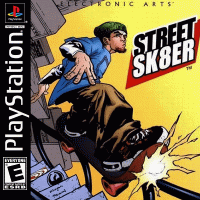
Right after you complete a course, STREET SKATER 2 replays your session.
•
To turn slow motion ON/OFF, press ▲.
•
To pause or continue a replay, press ■.
•
To exit a replay, press ✖.
Tricks
Our judges want to see you daredevil it any way you can—Hey, if you can pull it without planting it, we'll reward you.
•
Note: With Manual control you can invent new tricks by combining trick variations using a combination of button assignments. Automatic Trick Controls
To launch a trick:
1. Skate up a quarterpipe or ramp.
2. Hold ✖ to power up, then as you reach the lip (or edge) release ✖ + D-Button ←, →, ↑, or ↓.
•
The trick you perform depends on your speed, the