Objective
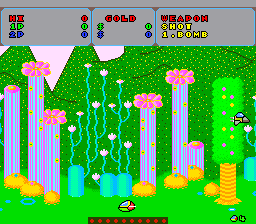
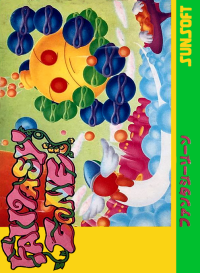
Journey into the Fantasy Zone to defeat strange and evil creatures. Armed with a single shot and single bomb, seek out and collect stolen Rubicons. Use these golden coins to buy parts and expand Opa-Opa's powers and weapons. Pass through all 8 stages of play, face awesome enemy 'Bosses', and defeat the enemy for as many points as you can accumulate along the way. Be careful! The alien Super Boss awaits your arrival at the conclusion of the seventh level.
Winning the Game
The player with the highest number of points wins. Obtain extra lives for Opa-Opa as you score points, or buy extra lives with the money you've gotten from the enemy.
Starting the Game
•
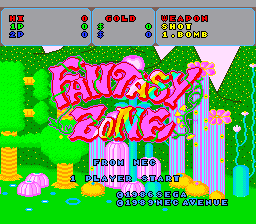
Select 1 or 2 Person Play: From the title screen, use the Select Button to indicate 1 or 2 Person Play. Press the RUN Button to enter your choice.
•
For 2 person play using only one TurboPad Controller, players alternate each time Opa-Opa is defeated.
•
For 2 person play using a TurboTap Accessory and an additional TurboPad, plug the TurboPads into the 'ports' labeled '1' and '2' on the TurboTap. Use the TurboPad that is plugged into port '2' to select '2 Players', then press the RUN Button to begin the game. Play will alternate between Player 1 and Player 2.
•
Press the RUN Button to start the game.
Pausing and Resetting
•
To pause the game during play, press the RUN Button.
•
To reset the game to the title screen during play, hold down the RUN Button and press the SELECT Button at the same time.
Stages of the Game
Each stage of the game takes place on a different planet in the Fantasy Zone. Each stage features an "outpost" from which the enemy attacks. These outposts are also the homes of the deadly bosses. You must face a boss at the end of each stage. Stage 1: The Green Planet "Plaleaf"
Opa-Opa's adventures begin here. The Boss of this stage is "Wood Man." He attacks spewing leaves from his mouth.
Stage 2: The Red Planet "Tabas"
This planet is hot! Watch out for "Tail Chasers!" The Boss of this stage is "The Juicer," who drops oranges at you from high in the air.
Stage 3: The Sand Planet "La Dune"
The Bandits dropped by the Mother Ship outposts are especially troublesome in this stage. The Boss of this planet is "Sunslinger," who fires laser beams as he attacks.
Stage 4: The Super Planet "Dolmicor"
All the enemy outposts rest on the ground in this world. The Boss of this stage is "The Claw." Using his long arms, he attacks by dropping bombs out of his long, tentacle-like claws.
Stage 5: The Ice Planet "Polaria"
Look out for "Yetti" - strange enemy creatures which look like snowmen.
Stage 6: The Cloud Planet "Mockstar"
The "Dust Devils" that come out of the outposts in this stage are powerful enemies. The boss of this stage is "Twister." He is shielded and will come at you with his tornado-like arms.
Stage 7: The Water Planet "Pocarius"
Falling "Droppz" attempt to surround you in this stage. The enemy boss is Deceptor, who disappears and then reforms on top of Opa-Opa.
Final Stage: The Planet "Sulfa"
On the planet Sulfa, all of the Boss characters you have defeated launch a counterattack! Keep an eye on your "remaining players," since Opa-Opa can't go into the SHOP if he's destroyed. Most of all, get ready to face the mysterious "Super Boss" - the leader of the alien invasion!
Outposts
Increase Your Power!
Collect Coins Dropped by the Enemy
Certain enemies will drop coins when they are hit. Collecting these coins allows you to increase your speed, add firepower to your weapons and even buy extra "lives" for Opa-Opa.
Visiting the Parts Shop
When you collect the coins dropped by the enemy, a red "SHOP" balloon appears. When you touch this balloon with Opa-Opa, you move to the "Parts Shop." Here you can buy as many parts to increase your power as you can afford.
Buying and Accumulating Parts
Use the Direction Key to move the hand symbol to the part you want to buy. Then press Button I or Button II to actually buy the part and place it in storage. If you do not have enough money to buy a particular part, when selected, the part will not blink. Move the hand to "EXIT" and press either Button I or Button II to leave the SHOP and move to "Parts Selection."
Selecting Parts for Use
When you leave the Parts Shop, or when you touch the yellow "SEL" balloon which appears during play, you move to "Parts Selection." Here, you can select the parts you actually want to use from among the parts you have accumulated. You can only select one each, however, from "SPEED UP," "WEAPON 1

.png)
.png)





_1.jpg)

.png)

.png)





.png)



.png)
.png)
.png)

