GETTING STARTED
1. Turn OFF the power switch on your Nintendo® Game Boy® Advance. Never insert or remove a Game Pak when the power is on.
2. Insert the Game Pak of Scooby-Doo and the Cyber Chase into the slot on the Game Boy® Advance. To lock the Game Pak in place, press firmly. 3. Turn ON the POWER switch. The credit screens will appear (if you don't see them, begin again at step 1).
4. When the title screen appears, press START to proceed to the Main Menu.
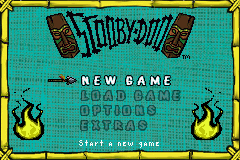
MAIN MENU
•
Start - Like, wow! Start a brand new game of Scooby-Doo and the Cyber Chase from the beginning. •
Password - Use a password to continue where you left off. See “passwords” section to get the whole scoop.
•
Options - Customize the game options before joining the Mystery Inc. gang in solving another mystery.
OPTIONS MENU
•
Music - Turn the game's music ON or OFF.
•
Sound FX - Turn the game's sound effects ON or OFF.
•
Skill - You can make the mystery easy or hard to solve.
•
Done - Return to the Main Menu.
CHARACTER SELECT
All five members of the Scooby gang begin the game, but only one at a time can play a computer level (thanks to Bill's programming problems). You have the choice of which character to select for each level, but don't be scared or the Phantom Virus will catch you!
If that happens, you'll have to choose another member of the Scooby gang to complete the level. That way, you have 5 chances to get through the game!
When you find a CD in the lab, take it over to the laser to open a new level. That's where you can choose which character you'd like to play by pressing the L Button. But remember, only the characters that have not been captured will be available.
Level 2: Roman Coliseum
Are those your bones rattling? You'll need to get past the skeleton gladiators to collect all of the Scooby Snacks and locate the Scooby Snacks Box. •
Enemies: Monsters: Gladiators
•
Boss Monster: The Creeper™
Scooby-Doo says:
Move up and down the platforms to keep away from The Creeper