Setting Up
Set up the PSP™ system according to the instructions in its instruction manual. Turn the PSP™ system on and the POWER indicator will light up green. The Home Menu will be displayed. Press the OPEN latch to open the disc cover. Insert the BREATH OF FIRE™ III disc with the label side facing the rear of the PSP™ system and then securely close the disc cover. Select the [controller] icon from the Home Menu and then select the [UMD] icon. An image of the software will be displayed. Select the image and press the X button to commence loading.
PLEASE NOTE: the information in this manual was correct at the time of going to print, but some minor changes may have been made late in the product's development. All screenshots for this manual have been taken from the English version of this product, and some screenshots might have been taken from pre-completion screens that differ slightly from those in the finished product.
Memory Stick Duo™
To save game settings and progress, insert a Memory Stick Duo™ into the Memory Stick Duo™ slot of the PSP™ system. Saved game data can be loaded from the same Memory Stick Duo™ or any Memory Stick Duo™ containing previously saved game data. Wireless (WLAN) Features
Software titles that support Wireless (WLAN) functionality allow the user to communicate with other PSP™ systems, download data and compete against other users via connection to a Wireless Local Area Network (WLAN). •
Ad Hoc Mode: A Wireless (WLAN) feature that allows two or more individual PSP™ systems to communicate directly with each other. •
Game Sharing: Facilities which enable the user to share specific game features with other users who do not have a PSP™ Game in their PSP™ system. •
Infrastructure Mode: A Wireless (WLAN) feature that allows the PSP™ system to link to a network via a Wireless (WLAN) Access Point. In order to access Infrastructure Mode features, several additional items are required, including a subscription to an Internet Service Provider, a network device (e.g. a Wireless ADSL Router), a Wireless (WLAN) Access Point and a PC. Starting a New Game
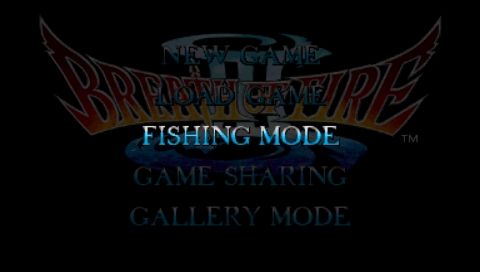
You can access the Main Menu from the Title screen by pressing the START button. Select NEW GAME with the directional buttons then press the X button to access the name input screen.
The Main Menu options include:
Enter your name by following the instructions on-screen. Then select "Start" and you will access the Config Screen. This screen allows you to configure the setup of your game before beginning to play. Select "Quit" to start the game.
Area Map
From this map you can enter villages, cities, jungles, and mountains. You will play the head of the party character and lead the party members.
Press the O button to use the party leader's ability. Use the L button to change your party leader with a field member. Ability will differ depending on which character is currently the leader.
Different Areas
•
Villages and Cities: In villages and cities, you can purchase items from shops, and speak with people who may have valuable information for you.
•
Inns: If you spend the night at an inn, current Hit Points (HP), Ability Points (AP) and overall HP will be recharged.
•
General Store: Medicine, antidotes and other convenient items may be purchased here.
•
Weapon Shop: Swords, shields, armour and other protective materials may be purchased here.
•
Apothecary: Here you can temporarily raise your status for a precaution.
•
Dungeons/Mountains/Forests/Highways: As you travel through each different Area Map, you will encounter various unfriendly creatures that will attack you. Also, from this Map you may find treasure chests and hidden traps.
Character Status Attributes
•
1 LV Level: This is your current level; your level and abilities increase as you become more experienced in battle.
•
2 HP Hit Points: Your current HP (vitality) and overall HP are shown here.
•
3 AP Ability Points: These are your ability points, which are needed to use special skills.
•
4 PWR Power: Physical attack power you receive from various weapons.
•
5 DEF Defence: Physical power you have to fend off attacks.
•
6 AGL Agility: Influences the possibility of an EX turn and the order to take an action in the turn (the more AGL a character has, the more chance it can take an action earlier than other characters).
•
7 INT Intelligence: Affects damage you may receive and inflict with magical attacks.
•
8 EXP Experience Points: These are used to determine your level. You gain experience by overthrowing enemies.
•
9 NEXT: The amount of experience needed to reach the next level.
Sub-Screen Menu
Press the ▢ button to bring up the Sub-screen. (This option is not available during an event or battle.)
•
Status: Allows you to view the current standing of the characters in your party by selecting the character and pressing the X button.
•
Items: You can USE, SORT, DROP or view VITAL items you have acquired. If you highlight the item, details of the item will appear on the screen. 'VITAL' items are important items that you can get at events.
•
Equip: In order to use weapons and armour, you must EQUIP them. By highlighting a weapon or piece of armour, the item's status will be displayed. Blue indicates Ability UP, and Red indicates Ability DOWN.
•
OPTI: Optimize your equipment to maximize PWR for battle.
•
FAST: Optimize your equipment for attack speed.
•
POOL: Remove equipment, but not the weapon. (The ▢ button can also be used to remove equipment.)
Ability Menu
Your character's abilities include "Magic" and "Skill". You need AP to use your abilities.
•
ABIL: Use magics or special skills.
•
SORT: Sort out magics/skills for each character.
•
NOTE: You can read or change your skill notes that you have learned or acquired.
•
GENE: You can check your list of Genes that you have acquired.
Tactics and Formations
This option allows you to change your party members and change formations. Formation has various influences on battle.
Highlight FORM (Formation) then use the Directional buttons to highlight a formation you want. Then, you can change the character's formation by using the Formation number.
•
Normal (1 2 3): Basic formation. Character 3 will be protected most.
•
Attack (1 2 3): Formation to attack. Character 1's attacking power will increase.
•
Defence (2 1 3): Formation to defend. All of the characters defence will be increased.
•
Ally: If there is a character you have formed an alliance with, but they are not currently in your travelling party, select ALLY in order to bring them into your party.
Camp
You can only camp at certain points. Bring up the CAMP screen to talk to your party members to get clues and perform various camp commands.
Check the diary in the tent to bring up the commands. You can take a rest to restore HPs and APs, save your progress, change your party members and check your skill notes and master list.
Config Options
Configure the setup of your game:
•
Msg Speed: Adjust message speed.
•
Window Clr: Adjust the window's background colour.
•
Background: Adjust the background of the Sub-screen.
•
Autorun: The character's walking speed will be changed. "Walk" in manual, and "Dash" in automatic setting. Pressing down the ▲ button will reverse this control.
•
Button Config: Reassign controls in the Area Map. Press the ➔ button and open the Config Window. Select the command you want to reassign and press the button you want to reassign it. Press the ➔ button or START button to finish.
•
Delete Data: Delete your save data.
Problem Statuses
Sometimes in the middle of battle, topography or your opponent's abilities can cause some problems:
•
Poison: HP and Attack ability decrease; no running. Remedy with Pharmacological magic, Antidote, Panacea, or Moon Tears.
•
Sleep: Cannot move until it wears off. Remedy with Pharmacological magic, Croc Tear, Moon Tears, Panacea, or by getting attacked.
•
Confusion: Can't choose to fight back. Remedy with Pharmacological magic, Croc Tear, Moon Tears, Panacea, or by getting attacked.
•
Blindness: Hit rate reduces. Remedy with Pharmacological magic, Croc Tear, Moon Tears, Panacea, or Eye Drops.
•
Paralysis: Cannot move at all. Remedy with Pharmacological magic, Croc Tear, Moon Tears, or Panacea.
•
Unconsciousness: Cannot move at all during battle. Remedy with Revival magic or Ammonia.
•
Egg: Unable to move for 5 turns. Parameter will recover after 5 turns. Remedy with Pharmacological magic or Panacea. (After 5 turns in EGG, or when the fight ends, the problem status ends, plus AP and HP are restored.)
End of Battle & Game Over
Once the fight ends and you are successful, you acquire experience points, items, and zenny (money). In cases where you have fainted from lack of HP, your HP will be raised to 1 but your overall HP will decrease. You can replenish this by staying overnight at an inn.
The game will be over when all the party members either become Paralysed or Unconscious.
Acquiring Skills
There are 3 possible lists of abilities to use: ATTACK (special attack abilities), HEAL (healing party members) and ASSIST (helps party members). Available Magics are shown in white and unavailable ones are shown in grey.
Skills can be acquired in the following ways:
.png)


.png)

















_1.png)

.png)