INTERFACING WITH EDEN
THE MAIN SCREEN
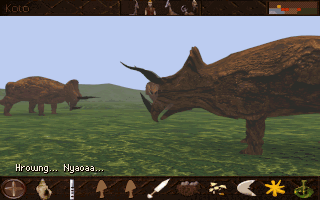
The Main Screen of the game features several distinct elements, including the Valley Map (not available in the Citadel), your current Location, a list of Current Companions, and the Cursor.
THE CURSOR
The game is entirely cursor-driven. In the center of the screen, the cursor usually takes the form of a tumbling cube. Use the direction pad on the controller to move it around the screen.
If there is something to be seen or picked up, the tumbling will stop and a symbol will appear on the cube. If you press the A button on your controller, you will select the appropriate function.
Movement
When you move the cursor to one of the four edges of the Main Screen, or to a doorway or entrance, it will change to a rolling cube with an arrow on its surface. This indicates that you can proceed in that direction.
Press the A button on your controller to move in the indicated direction.
Seeing Objects
If you move the cursor around the Main Screen, it may begin to ZOOM in and out, displaying an eye symbol on its surface. This tells you there is an object there, or at least something to be seen.
Press the A button on your controller to zoom in closer.
Picking Up Objects
When you move the cursor over an object, a hand may appear on its face to indicate that you can PICK UP that object.
Press the A button on your controller to pick it up. The cursor will be replaced by the object. Usually, you will want to move it to your inventory (bottom of screen) for later use.
•
Move the cursor to your inventory line, and press the A button on your controller again to drop it off there.
•
Sometimes, you will want to give it to someone or use it on something. Position the cursor over the recipient or object, and press the A button on your controller.
Interacting with Companions
If you move the cursor onto the top center area showing the members of your party, it will change to a hand.
Press the A button on your controller to bring up the Companions Screen. It is here that you may talk to other members of the party and give them objects.
System Controls
•
To Load a Game: Press the A button on your controller on the 'Load Game 1 (2, etc.)' text to load a previously saved game. Then press the A button on your controller on the RETURN box to return to the previous screen.
•
To Alter Sound Levels: Press the A button on your controller and hold on the faders (sliding switches). Drag them up or down to alter the Music & Speech volume. If you are playing *Lost Eden* on a Stereo TV, you can adjust the levels of the right and left speakers, as well as the general volume levels. Press the A button on your controller on the RETURN box to return to the previous screen.
•
To Replay Speech: If you missed what someone said and would like it replayed, use the TAPE section along the bottom of the screen. This works like a tape player, with Rewind and Play functions. Press the A button on your controller on the RETURN box to return to the previous screen. The last 32 comments are stored. You can turn subtitles on or off by pressing the A button on your controller on a language.
PLAYING THE GAME
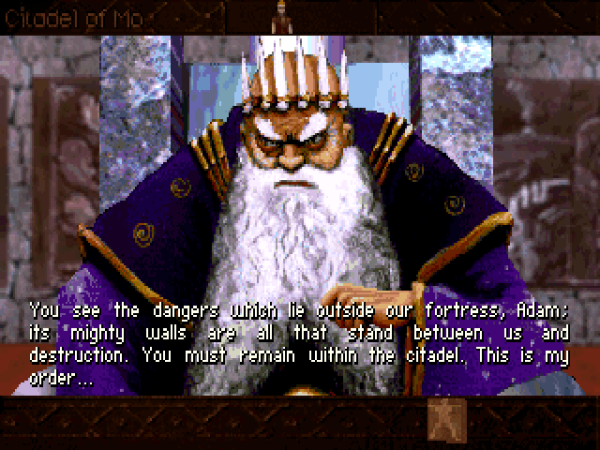
After an introduction from Eloi the Messenger, the game begins. YOU are Prince Adam. It is the day of your Coming of Age, but it is not a day for celebration. Your father is about to learn of the latest strike by the Tyrann, and he has summoned you to the throne room.
As you share the terrible news with him, your determination grows. You must find a way to defeat Moorkus Rex! The Citadel of Mo
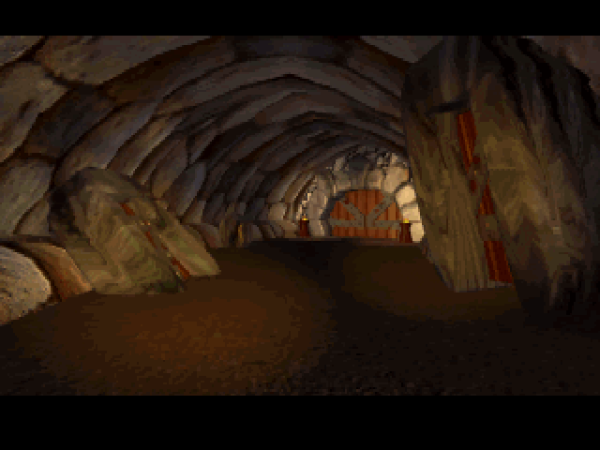
The adventure begins in the Entrance Hall of the magnificent Citadel of Mo. You will need to find a way down to the inner sanctum of the citadel, where your father awaits you. Explore the citadel and meet its inhabitants:
•
Thugg the King's loyal sergeant-at-arms
•
Monk, your father's wise Chancellor
Your first mission must be to rediscover the great secret of citadel construction. Has your great grandfather's secret been lost forever? Or can you solve the mystery and learn how new citadels can be constructed to defend the other races against Tyrann attacks? Outside the Citadel
If you discover the secret of the citadels, you can leave Mo. Find your way back up to the Entrance Hall and leave through the main gate. Once outside, you will want to travel through the valleys of Eden, sharing this secret with your allies and initiating the construction of your defenses against the Tyran.
•
Leave the citadel by pressing the A button on your controller anywhere in the sky.
•
The cursor changes to a chevron for long-distance travel.
You will meet many strange creatures and mysterious races of human-types. You must win them over and persuade them to rally to your cause. Many will join you on your journey. You will also discover many enchanted relics and deadly weapons, which you can use against the Tyran.
Moving in the Valleys
When Eloi takes you to the first valley (Chaamar), you will be shown a view of the entire valley (Aerial View). The instructions for movement described below apply to all valleys.
As you move the cursor around the Aerial View of the valley, it will ZOOM. Notice the small Plan Map in the top right of the screen. You