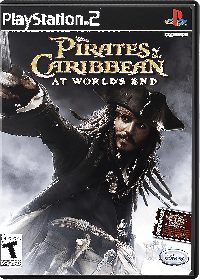
System Setup
Set up your PlayStation®2 computer entertainment system according to the instructions supplied with your system. Ensure the system is turned on (the on/standby indicator is green).
Insert the Disney Pirates of the Caribbean: At World's End disc with the label side facing up. Attach game controllers and other peripherals as appropriate. Follow the on-screen instructions and refer to this manual for information on using the software. Memory Card
To save game settings and progress, insert a memory card (8MB)(for PlayStation®2) into MEMORY CARD slot 1 of your PlayStation®2 system. You can load saved game data from the same memory card or any memory card (8MB) (for PlayStation®2) containing previously saved games.
DUALSHOCK®2 Analog Controller
This game supports the analog mode and the vibration features of the DUALSHOCK®2 analog controller.
To use the vibration feature, turn on VIBRATION under OPTIONS.
Introduction
Welcome all. Come aboard the Black Pearl, where you can follow the pillaging and plundering tales of Captain Jack Sparrow. He's trying to carve his own name and place in history as the most notorious pirate that ever lived. But the mighty East India Trading Company has different ideas.
Under the iron fist of Lord Cutler Beckett, they are determined to stamp out piracy and take complete control of the highly profitable trading waters throughout the Caribbean. To preserve his freedom and his seafaring way of life, Jack must do battle in the only way he knows how: "Take what you can, and give nothing back".
Disney Pirates of the Caribbean: At World's End brings to life Jack's adventures from the movies Disney Pirates of the Caribbean: Dead Man's Chest and Disney Pirates of the Caribbean: At World's End. Controlling Your Character
Menu Controls
•
Analog stick... Highlight Item
•
... Select item / Advance to next screen
•
A... Cancel / Return to previous screen
•
START button... Start game
Basic Controls
•
X... Light / Fast Attack
•
O... Close Attack or Combo Attack (see page 7)
•
L1... Block/Special Attack
•
R1... Use Secondary Item
•
◆Directional button... Select Flintlock (secondary item)
•
➡ Directional button... Select Throwing Knives (secondary item)
•
↑ Directional button... Select Grenades (secondary item)
•
✔Directional button... Select Health Boost (secondary item)
•
START button... Pause / Options
•
SELECT button... Inventory / Objectives
Playing the Game
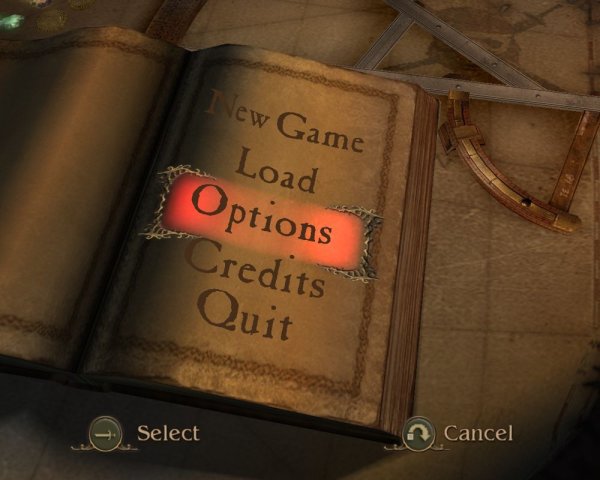
After pressing the START button, you will be asked if you want to start a new game or load an existing game. Select NEW GAME to begin or, if you have already played and saved a game, select LOAD GAME, then press the button to confirm.
You can now select one of the following options. Highlight the selection you want, then press the button to confirm. Challenge Mode and Dueling Mode must be unlocked in game before they can be selected.
Story Mode
This is the main game mode. If you have already loaded a save game, select CONTINUE to carry on where you left off. If you want to start a new game, select NEW GAME.
If you have already loaded a save game, you can revisit a level you have already cleared by selecting REPLAY LEVEL. Press the button to confirm. Once you've cleared a level you can choose to replay it and complete any sub-missions or find any collectables that you have missed. The level select screen shows you anything you've missed.
You're now ready to help Captain Jack Sparrow become the most notorious pirate that ever sailed the high seas and, in the process, protect the world of piracy from the evil intent of the East India Trading Company.
During the game you'll play as Captain Jack Sparrow, Will Turner, Elizabeth Swann, and even the legendary Captain Barbossa. Once you've played through certain levels, these and other characters will be unlocked and usable in multiplayer games.
Sub-Missions
These vary from finding a specific quantity of Crab Pendants, demonstrating your swashbuckling skill or getting slapped by a number of spurned lovers! Completing these missions will open up more rewards in your 'Treasure Cove'.
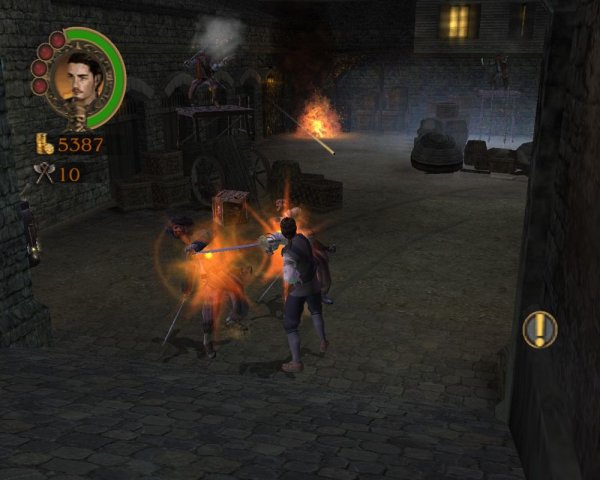
Look for characters with Quest Points (!) over their heads. Move close then press the button to speak to them. You can choose whether or not to offer them your help.
Jackanism
Occasionally, when playing as Jack, you'll be given the opportunity to help him react to a situation in his own eccentric way by performing a 'Jackanism'. Performing for the crowds will give him even more fame and notoriety, as well as a tactical advantage in the approaching fight. You also unlock a special item from the Treasure Cove.
You use similar sequences of button presses and analog stick movements as when you're Fighting With an Ally. Follow the on-screen prompts as fast as you can as timing is important.
Be careful though as you only have one attempt. Failing a 'Jackanism' will leave you in a worse situation than before, maybe facing even more opponents.
Notoriety
To become the most notorious pirate that ever lived, Jack will have to strike fear and admiration in to the hearts of his enemies and the general populace of the Caribbean.
You can earn Notoriety in a number of ways: Defeating enemies, varying your swordfighting tactics, triggering certain events, completing sub-missions, and performing a 'Jackanism'.
**Notoriety Types