SETUP
Console Top View
Front View
Set up your PlayStation™ game console according to the instructions in its Instruction Manual. Make sure the power is off before inserting or removing a compact disc. Insert the HEXEN disc and close the CD door. Insert game controllers and turn on the PlayStation game console. Follow on-screen instructions to start a game. Main Menu & Game Options
Starting Out
When you start Hexen, you have a choice of starting a new game or going to the Options screen for more choices. Use the D-pad to highlight your choice, and press X to activate it.
Any time you're in a sub-menu, you can press Start to return to the Title Screen.
New Game
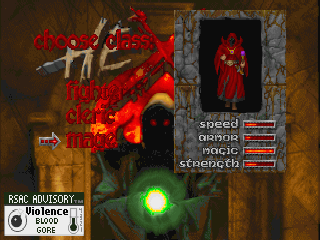
To begin a game of Hexen, select New Game. You'll be asked to choose a skill level and a character class.
If you're new to the game, it's recommended that you use the default skill level, or perhaps an easier one.
Options
The Options screen gives you these additional choices:
Messages On/Off
With this option turned on, messages are displayed on the screen as you play. Messages keep you informed of events as they happen, letting you know, for example, that you have picked up a flechette or gained extra health points.
You can turn this option off for a "cleaner" look on the screen.
Pad Config
Cycle through 21 different control configurations (A-V) using the D-Pad. The default configuration is A.
Sound
Select this option to adjust the sound volume.
•
SFX Volume: Adjusts the volume of the sound effects.
•
Music Volume: Adjusts the volume of the music.
You can press Start at any time during a game to access the Options menu.
Game Files
(usable only if memory card is present): Displays the following game file options:
•
Load Game: Loads a previously saved game. To load a game, insert a memory card and press X.
•
Save Game: Allows you to save a game in progress. To save a game, press Start at any time during the game to display the Main Menu, select Options, select Games Files, and select Save Game. Choose a memory card you don't mind overwriting and press X. Your game will be saved.
Note: A saved game uses up an entire memory card, so you'll only be able to save one game per card.
Weapon Pieces
Each character can use a special weapon: The runesword known as Quietus belongs to the warrior, the holy symbol called Wraithverge is used by the priest, and the staff named Bloodscourge can be wielded by the mage.
These weapons have been broken into pieces, which you must collect. The outline of your character's special weapon (sword, symbol or staff) and any pieces you have collected will appear in this part of the screen.
Armor Class
The Armor Class box on the far right gives you a numerical indicator of your armor level. An adventurer with no armor whatsoever has an Armor Class of 1, while a character armored like a Colossus would have an Armor Class of 20.
Life Chain
At the bottom of the screen is a chain. This chain represents your life: a sliding indicator rests on the right of the chain while you're healthy, and slides to the left when you are damaged.
Using the Inventory
When you walk over most items, they will be placed in your inventory. Pressing L2 + D-Pad scrolls through your inventory items. When the item you want to use is displayed, press Shift + O to use it.
Movement and Game Environment
Picking Up Items
You pick up an item by walking over it. If you walk over an item but do not pick it up, you probably can't use it right now. For example, if you are at 100% health and you walk over a Vial (which provides +10 health), you won't pick it up.
Flight
When you're using Inhilicon's Wings of Wrath, you can fly. Press Shift + + D-pad Up to float upward, and Shift + + D-pad Down to float down.
Automap
Press Select to look at the map. Pressing X + L1 and R1 will zoom in and out. The Automap screen is also where you will see any keys and armor that you have accumulated. All other items are placed in your Inventory.
Doors
Most doors in Hexen will open if you walk up to them and press O. Some doors are locked, and you'll need to be holding the proper key to open them.
Other doors are opened by switches on nearby walls. And still other doors remain sealed until you perform a special action, like walk into a certain room or kill a specific monster. Teleporters
There are two types of teleporters in Hexen: short-range teleporters and inter-level teleporters. The short-range teleporters move you around but do not transport you to the next level.
They can be identified by a symbol on the floor that emits a sparkling flow of energy into the sky. To use a short
.png)


.png)


.png)











_1.png)

.png)
_1.png)