Startup Information
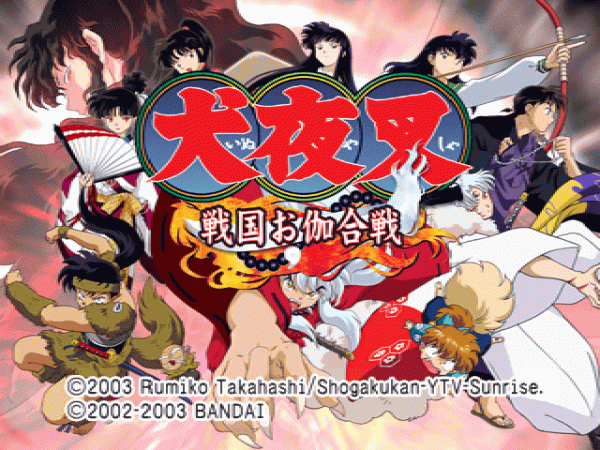
Set up your PlayStation® game console according to the instructions in the instruction manual. Make sure the power is off before inserting or removing a compact disc. Insert INUYASHA disc and close the disc cover. Follow the on-screen instructions to start a game. Save and Load
To save game settings and results, insert a memory card into MEMORY CARD slot 1 before starting play. You can also load and save from Shippo's Seven Changes (p. 7). Getting Started
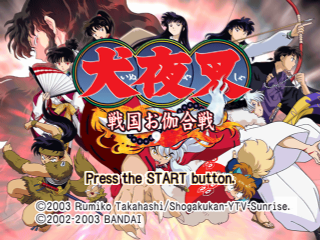
Press the START button or button to go to the Mode Selection Screen.
Mode Selection
Select the mode with the directional button and push the button to start. Press the START button.
Kikyo's Guidance
Choose the number of people playing after selecting the mode "VS Fairy Tale" and "Dream Fairy Tale." In "Myoga's Training," select either "Free Training" or "Myoga's Training."
Feudal Fairy Tale
Select a character and battle your way through your journey collecting the shards of the "Sacred Jewel of the Four Souls." Unlock more characters as conditions are met in "Feudal Fairy Tale" mode.
Clear the game by defeating the last boss. More characters will be unlocked and become available to play depending on the number of shards that you have in your possession at the end of the game. Clear the game with various characters.
VS Fairy Tale
Select a character and battle freely. You can either fight against the COM or against a friend.
Dream Fairy Tale
Select two characters each and battle freely in a two-on-two tag team battle. You can team with a friend or fight your friend.
Myoga's Training
Select a character and practice attacks or learn controls.
Shippo's Seven Changes
Change various settings in the game.
Backpack
It will appear after certain conditions are met. You can look at various images from the game and listen to music.
Character Selection Screen
Select a character with the directional button and press the ⭕ button. More characters can be unlocked as conditions are met in "Feudal Fairy Tale" mode.
•
Icon chooses a random available character.
Easy Guard and Handicaps
Choose the option of easy guard with the directional button and press the ⭕ button. It is recommended for beginners to select "Yes." Handicaps can also be set during VS battles. More jewels denote more attack power and guard.
•
Easy Guard is a function that automatically guards the opponent's attack if no buttons are pressed.
Stage Selection Screen
Select a stage with the directional button and press the ⭕ button.
•
??? Select a stage at random.
•
Will be unlocked by fulfilling a certain condition.
Shippo's Seven Changes
Shippo will change the various settings in the game for you. Difficulty
Select the difficulty of the game from five levels. You can also set whether or not to have the shards of the Sacred Jewel to appear.
Vibration
Change the vibration on the controllers for player 1 and player 2.
Versus
Select the number of matches from one, three, or five.
Time
Select the time of the match from infinity, 90 seconds, 60 seconds, or 30 seconds.
Controller
Sound
Change the volume of the music and the SE, as well as stereo or mono.
Load/Save
Save or load game data. Insert a memory card into MEMORY CARD slot 1.
Default
Set all of the settings back to default.
End
Return to the Mode Selection Screen.
Moving on the Map
Use the directional button to move along the road on the map. If it leads to a character or light of the shards of the Sacred Jewel, then an event will occur.
Events
Conversation with a character will occur. After that, either a battle or a mini-game will start.
Battle / Mini-game
The battle will be one match, and if you lose, the game is over. Win the match to return to the map. For information on the mini-game, go to p. 10.
Battle Character
You will battle this character.
Light of the Shard & Battle Character
You will battle with a character holding the shards.
Light of the Shard (White)
Shards exist, but their state is unknown. Either a battle or a mini-game will occur.
Light of the Shard (Blue)
A battle with a character holding pure shards will occur.
Light of the Shard (Red)
A battle with a character holding cursed shards will occur.
Barrier
The barrier is broken by defeating all of the other characters, and you can fight the final boss.
Sango's Warning
If you press the START button while on the map, you can look at how many more shards you must collect!
Collecting the Shards of the Sacred Jewel of the Four Souls
1. Hit the opponent with a specific special attack and grab the shard that appears! The opponent will let go of the shard when they are hit with a specific special attack. By touching the shard on the ground, you can take it. However, your opponent can also take the shards away from you, so be careful.
2. Clear the mini-