Button Layout
Setting Up
1. Turn OFF the power switch on your Nintendo® Game Boy® Advance. Never insert or remove a Game Pak when the power is ON.
2. Insert the BIONICLE™: Matoran Adventures Game Pak into the slot on the Game Boy Advance. To lock the Game Pak in place, press firmly.
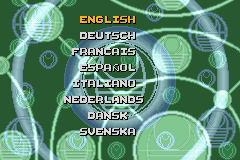
3. Turn ON the power switch. The language selection screen appears. Press the Control Pad ↑↓ to highlight your preferred language, then press the A Button. Legal and introductory screens appear.
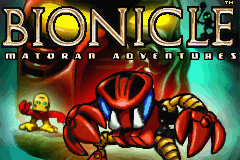
4. Press START to advance to the BIONICLE: Matoran Adventures title screen.
5. When the title screen appears, press START to advance to the Main menu.
Main Menu Overview
The threat of the Bohrok is intensifying and the Rahi only grow stronger...there's no time to waste. Just a few preliminary settings and then you're on your way! Press the Control Pad to cycle through the menu choices and make some basic setups. •
NEW GAME: Begin a new adventure of the Matoran vs. the Bohrok. •
RESUME GAME: Continue a previously saved game.
•
OPTIONS: Change SOUND FX, MUSIC, and DIFFICULTY options.
Starting a New Game
1. Press the Control Pad ↕ to highlight one of the two available slots for saving your game. Press the A Button.
2. If you pick an occupied slot, you are questioned whether to overwrite the data in that slot. Press the Control Pad ↕ to highlight YES or NO. Press the A Button to confirm, or the B Button to cancel. Be careful not to unintentionally overwrite previously saved games.
3. Select a character to begin your adventures. Press the Control Pad ↕ to highlight one of the available Matoran. Press the A Button to proceed.
•
You begin the game with a single Matoran character. Unlock additional characters as you successfully collect all mask pieces hidden within each level.
•
Checkpoints determine the area where you respawn when your character loses a life. Games are saved only upon the completion of a Wahi (Region).
Resuming a Saved Game
You can save up to two games in BIONICLE™: Matoran Adventures. Press the A Button to continue a game, then press the Control Pad ↑↓ to cycle through the two save-game slots. Press the A Button to resume your selected game.
Options Menu
1. Press the Control Pad ↕ to cycle through the various options, then press the A Button to select.
2. Press the Control Pad ↔ to adjust the volume level for the Music and Sound FX.
3. Press the Control Pad ↕ to select EASY, MEDIUM, or HARD in the Difficulty settings.
4. Press the A Button to accept changes and return to the Options menu. Press the B Button to return to the Main menu.
Level Objectives
•
Ko-Wahi: The Koli Statue is the main objective. Retrieving it is required to exit the level.
•
Ga-Wahi: The Key Stones are the main objective. Retrieving them is required to exit the level.
•
Onu-Wahi: Torches of Light are not required to complete the level but help you see better in the darkness of the caves. Controls
Move your character through the various Wahi of Mata Nui, collecting pieces of masks and various Power-Ups. Along the way you will meet companions who help you proceed and defend against the advances of Bohrok and Rahi. •
Move: Press the Control Pad to move forward, backward, and up ladders.
•
Jump: Press the A Button. To double jump, double tap the A Button.
•
Attack: Press the B Button to throw your disc.
•
Power Up: Once you have obtained four Disc Power-Ups, you can press and hold the B Button to power up your disc.
HUD Elements
•
Health Powerup: Pass over these icons to increase the health bar indicator by one notch. •
Elemental Powerup: Collect these powerups to increase the elemental powers of the Turaga.
•
Disc Powerup: These powerups upgrade your Matoran's disc with more power and the ability to fly further.
•
Checkpoints: Carved stone heads are checkpoints where you can save your progress. If you lose your life prematurely, you restart at the last checkpoint passed. •
Mask Pieces: Collect all the mask pieces in each level to unlock characters.
•
Buttons: Buttons require action from the Turaga. 


 (En,Fr,De,Es,It,Nl,Sv,Da).png)




_1.png)







_1.png)

_1.png)
 (Es,It,Pt).png)



.png)