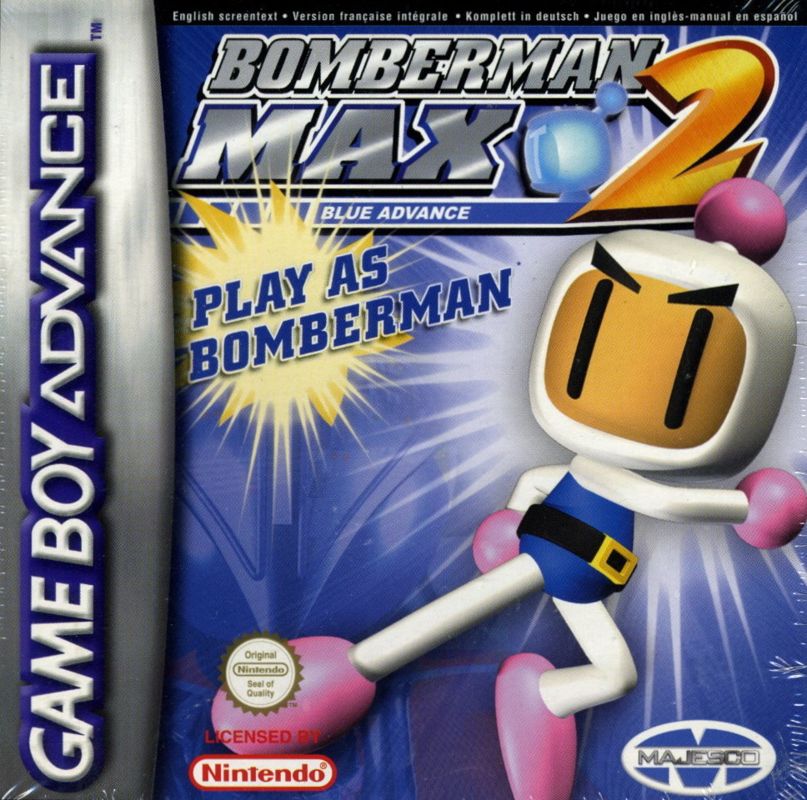
GETTING STARTED
To get started with BOMBERMAN MAX 2:
•
Turn off your Game Boy® Advance System, then insert the BOMBERMAN MAX 2 Game Pak into your Game Boy® Advance System.
•
Turn on your Game Boy® Advance System.
•
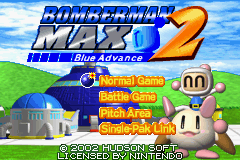
Press START to bypass the demo sequence and display the Title Screen.
Important Note: If nothing appears on the screen when you turn the power on, turn the power off, check to make sure the Game Pak is inserted correctly, then try again.
THE GAME MODES
BOMBERMAN MAX 2 can be played in the following two modes:
Normal Game
This is a one-player game mode where the goal is to clear all the stages.
Battle Game
In this one or two-player game mode you can battle characters called Charaboms that you befriend during the Normal Game Mode. By using the Game Boy Advance Game Link Cable, you can link up and battle head-to-head against another player.
NORMAL GAME MODE
When selecting to play in Normal Game Mode, the following two options appear:
New Game
This option starts a new game in One Player Mode. Please refer to the "PLAYING THE GAME" section of this manual for additional information.
Continue
Select this option to play a previously saved game. When selected, a list of the available Save Files will appear. Press the Control Pad UP or DOWN to select the desired Save File, then press the A Button to load it.
If you have completed more than one stage in the previously saved game, the Stage Selection Screen will appear. Simply use the Control Pad to select the desired stage to play and press the A Button. Please refer to the "CONTINUING GAMES" section of this manual for additional information.
HUD DISPLAY
Lives
This represents the number of lives you have in reserve.
Enemies Remaining
This number shows how many enemies there are left or how many items remain to be gathered in order to clear the area.
Bombs Counter
This shows how many bombs you can place at one time. At first you can only place one bomb, but this number will be increased to a maximum of four bombs as the game progresses.
Firepower of Bomb Blast
This shows the distance each bomb blast will travel. At first it is only a short distance, but the damage distance of each bomb will be increased as the game progresses.
PLAYING THE GAME
While playing any level, your overall goal is to clear the area by defeating enemies with your bombs. Throughout the game you will need to destroy "Soft Blocks" that block your way through the area.
Simply move next to the desired "Soft Block" and press the A Button to drop a bomb. Remember to move away from the bomb before it explodes. If an enemy touches you, or you are caught in a bomb blast, or the clear area timer reaches zero, you will lose one of your lives. If you lose all your lives, the game will end.
THE AREA OBJECTIVE SCREEN
When an area first begins, the Area Objective Screen displays the conditions you must attain to clear the area and move onto the next one.
Power Ups
Sometimes these will appear when "Soft Blocks" are destroyed by bomb blasts. Collect all of the Power Ups you uncover to help you on your quest. Please refer to the "POWER UPS" section of this manual for additional information.
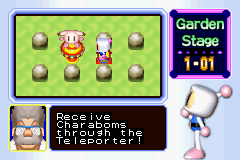
Receive Charaboms
The goal for Area 1-01 is to make your way to the Teleporter and acquire a Charabom. Once you reach it, the Charabom will appear, and the Charabom Selection Screen will be displayed. Press the A Button to select the Charabom you have just acquired, and you will return to the current area ready to select your exit gate! Please refer to the "CHARABOMS" section of this manual for additional information.
CLEARING AREAS
When the goal conditions for an area have been met, exit gates will appear. Simply maneuver your character to the desired gate to exit the area. Red Gates warp you to areas that have already been cleared as indicated by the number above the gate, while Blue Gates lead to areas that haven't been cleared yet.
Enemy Boss
In every stage, there is a powerful boss character located in the last area. The Boss Character always has a weak point, so do your best to find it and defeat him.
Helpful Gates
Sometimes, when there are difficult conditions to clear a stage, and you can't clear the conditions, a gate will immediately appear. Enter this gate to start the area over again.
GAME ENDING
When the game ends, your area clear rate percentage will be displayed. This indicates how well you've done in clearing the areas of the game. When you're done reviewing it, press the A Button to go to the Summary Screen.
On this screen, you may choose from the following options:
•
Continue Game: By selecting this, you can once again play the area where the game ended. However, your character will start off with the ability to place only one bomb at a time, first level blast capabilities, and three lives.
•
End Game: This option allows you to end and save your current game. Please refer to the "SAVING GAMES" section of this manual for additional information.
SAVING GAMES
You can save your game at any time during play, or when the current game ends. You can save up to three Save Files that contain information regarding the areas that have been cleared and the types of Charaboms that you have collected.
Save During Play

_2.png)
.png)
 (En,Fr,De).png)
 (En,Fr,De).png)



.png)



.png)
 (En,Ja).png)


 (En,Es,It) (SGB Enhanced) (GB Compatible).png)




_1.png)