GETTING STARTED
1. Make sure the POWER Button is OFF on your Nintendo GameCube™. 2. Insert your BLOOD OMEN™2 Nintendo GameCube™ Game Disc as described in the instruction manual. 3. Insert the Nintendo GameCube™ Controller into Controller Socket 1. 4. If you want to save a game, insert a Nintendo GameCube™ Memory Card into Memory Card Slot A. 5. Press the POWER Button ON. (IMPORTANT: Make sure not to touch the Control Stick while doing so.) You'll proceed to the BLOOD OMEN™2 Title screen.
MEMORY CARDS AND GAME BACK-UP
You must have a Nintendo GameCube™ Memory Card (sold separately) with at least 1 free block in order to save game progress, scores, settings, etc. Insert the Memory Card into Memory Card Slot A before starting the game. Please be aware that data can be lost if the Memory Card is removed while data was being read or written, incorrect buttons are pressed during saving or loading, or the terminal area is dirty. Lost data cannot be recovered.
GAME BASICS
STARTING A GAME
1. From the Main Menu, select START GAME and press the A Button.
2. The game will scan for saved games and check the data on it.
3. Highlight NEW GAME for a new game or highlight the saved game you want to play and press the A Button.
4. On the Choose Blocking Type screen, select your preferred blocking controls and press the A Button to start your game.
SAVING A GAME
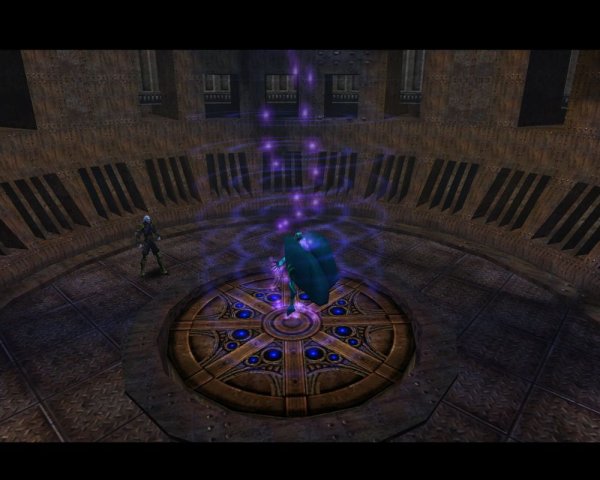
As you explore the world of Nosgoth, you will notice ancient symbols on the ground that light up when Kain steps over them. These are called checkpoints. Once Kain activates a checkpoint, you will be able to save all your progress up to that point. To save a game:
1. Press START/PAUSE to pause the game.
2. Use the +Control Pad to select SAVE GAME and press the A Button.
3. Highlight NEW SAVE GAME for a new game or highlight a saved game you want to overwrite and press the A Button.
4. Your saved game will appear. Select EXIT and press the A Button to resume gameplay.
5. To resume a saved game, use the steps in "Starting a Game."
When you resume a saved game, all Kain's progress is restored up to the last activated checkpoint. SETTING OPTIONS
Use the Options menu to adjust game settings either before or during play. On the menu, move the +Control Pad/ to highlight options and press to change the setting.
To open the Options menu, either select OPTIONS from the Main Menu or press START/PAUSE to pause during a game, highlight OPTIONS and press the A Button.
•
RUMBLE - Toggle the Controller's Rumble feature ON or OFF.
•
BLOCKING - Toggle between ASSISTED and SKILLED blocking modes. (See page 12 for details.)
•
SOUND - Adjust the volume level of the game's sound effects.
•
MUSIC - Adjust the volume level of the game's music.
TO BLOCK AN ENEMY'S ATTACK
Note: You can set the BLOCKING option in Options mode. See page 7 for details.
1. If the ASSISTED blocking option is selected, press and hold the L Button to block all attacks.
2. If the SKILLED blocking option is selected, tap the L Button to block each attack individually.
3. Some enemies have attacks that cannot be blocked. Watch out for these!
TO QUICKLY SIDESTEP AN ENEMY'S ATTACK
Press the Control Stick + the A Button to quickly sidestep left or right. If this technique is used properly to dodge an attack, the enemy will instantly be vulnerable to a quick claw/weapon strike.
TO HIT AN ENEMY WHILE IT'S DOWN
Sometimes when an enemy is almost dead it will crawl around on the ground. During this time, Kain can deliver one final blow. Stand close to the enemy and press the B Button to strike while the enemy is down. If Kain is unarmed, he will kick the enemy. If he is holding a weapon, he will finish the enemy off with a final stab. TO DRAIN THE BLOOD OF A DEAD ENEMY
Stand near the fallen enemy. Once the enemy highlights, press and hold the Y Button.
USING WEAPONS
Throughout the game, Kain will encounter a variety of enemies with a variety of different weapons. After dispatching these enemies, Kain can pick up their weapon and use it in battle. He can only hold one weapon at a time and, after an amount of usage, weapons will eventually break. TO PICK UP A WEAPON
1. Stand directly over the weapon. When the weapon turns white, press the B Button. Kain will pick the weapon up and attach it to his belt or strap it behind his shoulder. Once in Combat mode, Kain will pull out the weapon. 2. If Kain is holding a weapon but stands over another available weapon, press the B Button to have Kain can drop his current weapon and pick up the new weapon. TO ATTACK WITH A WEAPON
1. In Combat/Autoface mode, press the B Button to have Kain attack with whatever weapon he's holding. There is no way to attack with claws while Kain is holding a weapon. DARK GIFTS
•
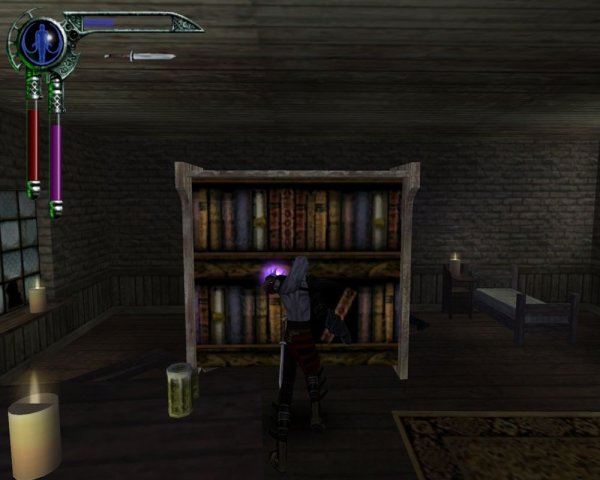
TELEKINESIS - Kain can activate certain switches using only his mind. Press the X Button to enter Telekinesis mode and then use the Control Stick to aim the cursor at what you want to activate. Once a switch is