Getting Started
To start BOMBERMAN MAX 2 on your Game Boy® Advance System:
•
Turn off the system, insert the game pack, and turn the system on.
•
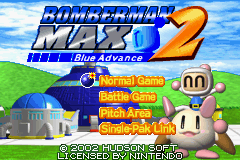
Press START to bypass the demo sequence and display the Title Screen.
If nothing appears on the screen, turn the power off, ensure the game pack is inserted correctly, and try again.
Game Modes
BOMBERMAN MAX 2 features two primary game modes:
•
Normal Game: A one-player mode where the goal is to clear all stages.
•
Battle Game: A one- or two-player mode to battle Charaboms befriended during Normal Game. Use the Game Link® Cable to battle head-to-head with another player.
Normal Game Mode Options
Selecting Normal Game Mode presents two options:
•
New Game: Starts a new game in One Player Mode.
•
Continue: Loads a previously saved game. Use the Control Pad to select a save file and press A. If multiple stages are completed, a Stage Selection Screen will appear to choose a specific stage.
Playing The Game
Power Ups
Power Ups occasionally appear when "Soft Blocks" are destroyed by bomb blasts. Collect these items to assist in your progression.
Receiving Charaboms
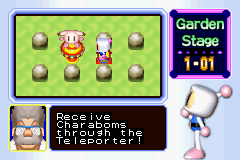
In Area 1-01, reach the Teleporter to acquire a Charabom. After the Charabom appears and the Selection Screen is displayed, press A to select it. You will then return to the area to select an exit gate.
Clearing Areas
Once area goal conditions are met, exit gates appear:
•
Red Gates: Warp you to previously cleared areas.
•
Blue Gates: Lead to areas that have not yet been cleared.
Enemy Boss
Each stage contains a powerful boss in the last area. Bosses always have a weak point; find and attack this point to defeat them.
Helpful Gates
If stage conditions are difficult and cannot be met, a helpful gate may appear. Entering this gate restarts the current area.
Game Ending
Game Summary
When the game ends, your area clear rate percentage is displayed. Press A to proceed to the Summary Screen.
Game Ending Screen Options
•
Continue Game: Plays the area where the game ended. The character starts with one bomb capacity, first-level blast capabilities, and three lives.
•
End Game: Ends the current game and allows you to save its status.
•
Save: Saves the current game directly.
Saving Games
You can save up to three files containing information on cleared areas and collected Charaboms.
Saving During Play
Press START to open the Pause Menu:
•
Resume Game: Continues gameplay.
•
End Game: Ends the game. Select "Yes" when "Save?" appears to save to a file, or "No" to end without saving.
•
Save: Displays a list of Save Files. Use the Control Pad to select a file and press A to save.
Overwriting Existing Files
If saving to a file with existing data, an "Overwrite?" message appears. Select "Yes" to erase old data and save new data, or "No" to save to a different file.
Continuing Games
To continue a saved game, select "Continue" from the Title Screen. Use the Control Pad to select the desired save file and press A.
•
Stage Selection: Select any previously completed stage.
•
Area Selection: Select a previously completed area within the chosen stage.
Charaboms
Charaboms are companions that help Bomberman and Max use special abilities. They are also used in Battle Game Mode. Raise Charaboms in Normal Game Mode to improve Battle Game performance.
Charabom Selection
During Normal Game Mode, press L or R to display the Charabom Selection Screen. Use the Control Pad to choose a Charabom and press A.
Charabom Attributes
Charabom attributes only take effect when battling an opponent in Battle Game Mode.
Battle Game Mode
Battle
Play alone or against another player using the Game Link® Cable:
•
Alone: Requires at least two Charaboms.
•
Versus: Supports one-on-one or two-on-two tag matches. The loser's Charabom is teleported to the winner.
Merge
Create new Charaboms by combining two types. This can be done alone (requires two Charaboms) or with another player via the Game Link® Cable.
Setup Screens
1. Player Selection Screen: Select the number of players.
2. Match Selection Screen: Select the match type.
3. Charabom Selection Screen: Select one Charabom for Single Match or two for Tag Match. In One Player Mode, select only one; the computer chooses the opponent.
Match Types
•
Single Match: One Charabom fights against another.
•
Tag Match: Two Charaboms fight against two other Charaboms in a tag-team style.
Charabom Statistics
Charaboms have four attributes: Fire, Water, Electric, and Earth. Each has specific strengths and weaknesses. Check opponent attributes to ensure Special Attacks are effective. •
Name: Name of special offense.
•
Level: Total strength of each ability.
•
Hit Points: Match is lost if this reaches zero.
•
Offense: Higher values provide an advantage over the opponent.
•
Defense: Higher values reduce damage received per hit.


_2.png)
 (En,Fr,De).png)
 (En,Fr,De).png)
.png)

.png)
 (Rev 1).png)
 (Rev 2).png)
_1.png)
 (Rev 1).png)











_1.png)




.png)


