Before Racing
Insert the Game Pak into your Game Boy Advance and turn the power ON.
1 Choose Players
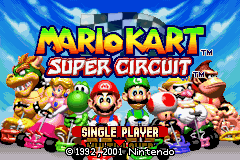
For Single-Player Games, choose Single Player on the Title Screen.
For Two- to Four-Player Games, check all cable connections. Each player should use the Control Pad to choose Multiplayer on the Title Screen, then choose the Single-Pak or Multi-Pak mode. Multi-Pak games require one Mario Kart: Super Circuit Game Pak for each player. Only one Game Pak is needed to play the Single-Pak mode. The A Button confirms selections, and the B Button cancels selections on all menu screens.
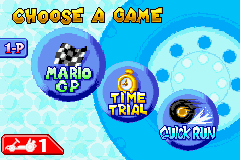
2 Choose a Game
Choose the mode you'd like to play. Refer to the chart below to see which modes you can play with the number of players you've chosen. If you select a mode and the word "Settings" appears in the bottom left corner of the screen, press SELECT to change the mode settings.
The list above refers specifically to Multi-Pak multiplayer games.
•
Mario GP: Eight racers compete for points (1-2 players) •
Vs: Compete against your friends for first place (2-4 players)
•
Battle: Battle on special stages and try to pop your opponents' balloons (2-4 players)
•
Time Trial: Race alone to get the best time (1 player)
•
Quick Run: Race for place against seven other racers (1 player)
3 Choose an Engine Class
In the Mario GP Vs., and Quick Run modes, you must first choose an engine class in which to race. The tight control of the 50 cc class is best for first-time racers. 4 Choose a Character
Before racing, you must choose which of the eight characters you want to use. Choose a character and press the A Button, then press the A Button again when "OK?" appears on-screen. Choose the question mark in the middle to have a character randomly selected for you. Note: Two or more people cannot choose the same character in multiplayer modes.
5 Choose a Track
Finally, you must choose your track. In some modes, you must choose a cup to enter rather than a specific track.
Now start your engines!
Note: In multiplayer games, Player 1 chooses the mode, engine class, and track.
To erase all of your saved data, hold the L Button, R Button, B Button and START when you turn the power ON, then choose "Yes" when the confirmation message appears. Once data has been erased, it can never be recovered, so be careful.
Mario GP / Quick Run
The Mario GP mode features eight racers that compete on all four tracks in a cup as they try to earn the most points and win the grand prix. The Quick Run mode features single GP-style races on individual tracks. The information below deals mostly with the Mario GP mode. 1 Choose a Cup
The first time you play, you can choose from four cups. Each cup is made up of four different tracks. Choose a cup on the Track Selection Screen.
2 Display Icons
•
Lap Display: Shows the current lap.
•
Item Window: Items you've picked up are shown here.
•
Coin Display: Shows current coin count.
•
Top Four: Shows which racers are in First through Fourth place.
•
Race Clock: Timer for the race.
•
Course Map: Shows your position (indicated by a blinking icon).
•
Your Ranking: Your current placement.
3 Racing & Placing
Laps
Each race is three laps around the track.
Points
You earn points when you finish in one of the top four places in a race. By finishing in the top four, you'll be able to continue to the next race. If you finish in fifth place or lower in a race, you'll have to try that race again, but you only get three chances to finish in the top four. In two-player games, as long as one player finishes in the top four, both players can continue racing. Trophies & Rankings
The gold, silver, and bronze cup trophies are awarded to the three racers with the highest point totals at the end of all four races in a cup. There are also eight different rankings you can earn based on how well you've raced: ★★★, ☆☆☆, ★★☆, A, B, C, D, and E. This information will be saved and your best records updated automatically when you press the A Button after receiving your trophy. Trophies are awarded for each engine class. When you get four gold trophies in an engine class, you can then race special cups in that class.
Coins
You can raise your racer's top speed by collecting the coins found on the tracks. You can collect up to 55 coins. However, every time you collide with another kart, you lose coins. If you lose all your coins, you'll spin out when another kart hits you. The number of coins you start with depends on your starting position. Pausing
During any race you can press START to pause the game. Choose Quit on the Pause Screen to return to the Mode Selection Screen.
Quick Run
The Quick Run is a single-player, single-track race for place rather than points. It's

.png)
.png)
