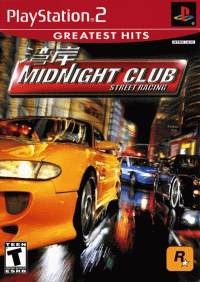
Midnight Club Overview
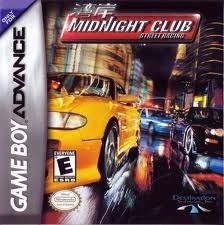
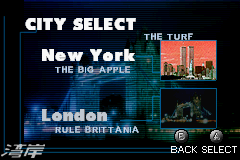
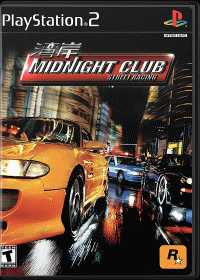
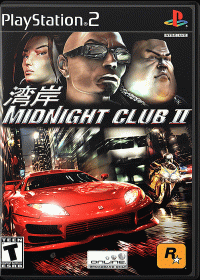
Midnight Club is the first video game to feature the underground sport of Illegal Street Racing. Speed freaks, car nuts, and boy racers form illicit societies around the world with the single goal of finding the fastest driver. Set in New York and London, the game features cars tuned by the finest tuning houses in the world. Players have complete control over their racing style, with no set tracks or rules. The objective is simply to reach checkpoints first, taking any route desired. Progress requires beating the best drivers in New York to gain access to London. After defeating the top drivers in London, you must challenge the world champion to race.
Starting The Game
Ensure the POWER switch is OFF before inserting the Midnight Club Game Pak into the Game Boy® Advance slot. Turn the POWER switch ON to begin. Note that the Midnight Club Game Pak is for Game Boy® Advance only, and the game supports single-player mode. Game Boy® Advance Controls
Use the controller to manage vehicle functions and navigation:
•
Nitro: (Not available on all models)
•
Turn Left / Right: Control Pad
•
Brake / Reverse: Control Pad
•
Pause / Un-pause Game: PRESS START
Race Select Screen
The Race Select screen allows you to choose the type of racing mode you wish to participate in. The available options are: Use the CONTROL PAD UP and DOWN to highlight your desired option, then press the A BUTTON to select it. Press the B BUTTON to return to the previous screen.
Cruise Mode
Cruise mode allows you to drive around the city to practice your skills without any opponents. After selecting this mode, you will be prompted to set the amount of traffic on the roads.
Use the CONTROL PAD LEFT and RIGHT to adjust traffic levels, then press the A BUTTON to proceed to the Vehicle Select Screen. Press the B BUTTON to return to the previous screen.
Head to Head Mode
In Head to Head mode, you compete against one opponent with no time limit. Selecting this mode takes you to a Race Select Screen.
Use the CONTROL PAD LEFT and RIGHT to select a specific race, then press the A BUTTON to move to the Vehicle Select Screen. Some races require a Pass Code to unlock. These codes are granted when you achieve a high level of competence by completing enough races.
Vehicle Select Screen
Use this screen to choose your vehicle for the race. Use the CONTROL PAD LEFT and RIGHT to cycle through available options.
Press the A BUTTON to move to the Last Chance Screen, or press the B BUTTON to return to the previous screen. As you select different vehicles, their statistics will be displayed at the bottom of the screen:
Some vehicles remain unavailable until you advance in the game. These must be unlocked using a Pass Code obtained through high-level performance.
Last Chance Screen
This is the final confirmation screen before the race begins. Press the A BUTTON to start the race immediately. Press the B BUTTON to return to the previous screen if you need to change your selection.
Arcade Game Pause Menu
During an Arcade Game race, press START at any time to bring up the Pause Menu. Use the CONTROL PAD UP and DOWN to highlight options and press the A BUTTON to select them.
The Pause menu offers three options:
•
Continue: Returns to the race, resuming from where you left off.
•
Restart Race: Returns to the start of the current race.
•
Forfeit: Exits the Arcade Game and returns to the start screen.
Playing the Career Game
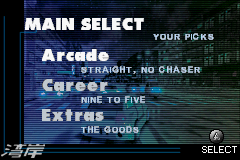
To begin a career, press the A Button when “Career” is selected on the Main Menu Screen. The Career Menu Screen will appear, allowing you to start your career or continue a previous one by entering a Pass Code. Press the B BUTTON to return to the previous menu.
Your Career
In the Career Game, you build your reputation through a series of races against various opponents. Your first task is to find “Hook Man,” who is cruising the city in a car looking for racers.
A Direction Arrow at the top of the screen points toward the nearest Hook Man. Follow the Hook Man's car to impress them, and stop close by when they do. The Hook Man will then invite you to race.
Later in your career, you can look for Hook Men by selecting “Cruise for Some Action” in the Career Game Pause Menu. You will also receive mobile phone contacts for other racers, accessible via the Career Game Pause Menu.
Career Game Pause Menu
Press START at any time during the Career Game to access the Pause Menu. Use the CONTROL PAD UP and DOWN to highlight options and press the A BUTTON to select.
The available options are:
•
Continue: Returns to the race and continues from where you got up to.
•
Restart Race: Returns to the start of the current race.
•
Cruise for Some Action: Drive the streets looking for Hook Men.
•
Cell Phone: Access your contact list to challenge other racers.
•
Leave Career: Exits the Career Game and goes to the start screen.
Cell Phone Feature
Selecting the Cell Phone option brings your contact list to the screen. Use the CONTROL PAD UP and DOWN to highlight names of available racers, then press the A BUTTON to select one. Press the B BUTTON to return to the Pause