Rules
The rules explained here are based on the arcade game. For details about other modes, see pages 6 & 7.
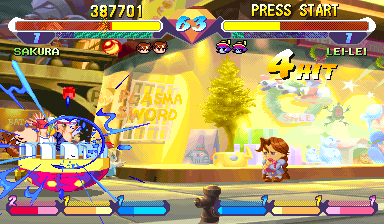
One round is limited to 99 seconds. If you deplete your opponent's strength to 0 within that time, you win by knockout.
A match is based on 3 rounds. The player who wins two of the three rounds is the winner. Options can change this function.
When time runs out, the player with the most strength left wins.
Starting the Game
It is advised that you do not insert or remove peripherals or Memory cards once the power is turned on. Make sure there are enough free blocks on your Memory card before commencing play.
•
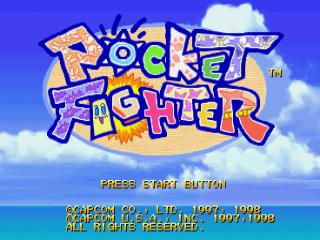
At the title screen, put the cursor on POCKET FIGHTER and then press the Start button.
•
The Mode screen will appear.
•
Choose your mode using the Directional button and press the X button.
•
At the Character screen, choose your Character and game speed.
•
If you've already chosen your speed at the option screen, you may skip this.
•
After choosing all your options, the battle begins.
•
In a 2 player game, press the Start button on the second controller to join in.
Pocket Fighter Modes
Battle Mode
When you choose Pocket Fighter in the title screen and press the Start button, the Battle Select menu appears. Choose the mode you want to play in with the Directional button and use the X button to select your choices.
Arcade Battle
Arcade Battle is a 1 player game with a 2 player "join in the fight" function. The CPU is your opponent, and you survive elimination matches. After you have defeated all 8 opponents, you win.
If you are defeated at any time, you can choose to continue or start a new game. While player one is playing, you can press the Start button on the second Controller to join in the fight.
Free Battle
Free Battle is a 1 player & 2 player fighting mode. In this mode, player 1 and player 2 each choose a character and fight each other. Each time you fight, you choose a character. After the end of a fight, hold the L1 button down to automatically get the same character in the same stage (this is called "quick continue"). In addition, player 1 and player 2 can use the same character.
When you choose Free Battle, you will then move to the character selection screen. There you can choose the character you wish to play and their handicap.
Next, the Stage Select screen appears. Here you can choose your stage, game speed, and rules. When you have made all your selections, press the Start Button and the game will start.
Running Battle
Running Battle is a 1 player only mode. Try to defeat as many of the 12 opponents as you can before your strength or time runs out.
Running Battle Rules
•
After each match, your strength is restored based on the quantity of gems in your possession or how quickly you defeat your opponent.
•
Your Mighty Combo gauge and items go with you into the next round.
•
If your own strength gauge is depleted, then the game is over.
•
You can't continue and you cannot use "join-in-the-fight function".
Rule Setting
Training
Training is a 1 player only mode. This mode lets you practice the game. When you choose "Training Start" and press the X button, practice begins.
Options and Saving
Option
This modifies several game settings. Move the Directional button up and down to choose things you want to change and then the Right and Left Directional buttons to switch them. There is also an option to make changes while the game is paused.
Setting (Game Option/Game Setting/Rule Setting)
•
Difficulty: Sets level of difficulty for games played against the computer in arcade battle.
•
Damage Level: Sets the level of attack power.
•
Time Count: Changes the time limit on each round.
•
Round: Changes the number of rounds for a computer match set or a 2 player battle.
•
Screen mode: Changes the size of the screen (if you set it to Arcade you may not be able to see your entire screen on your television).
•
Sound: Choose your sound output to be stereo or mono depending on your TV.
•
Player (Free Battle mode only): Select a human or computer player.
•
M. Combo Gauge (Free Battle and Training modes): Set your gauge to a level 0-9 at the start of the game.
•
Gem gauge (Free Battle and Training modes): Set your gauge to a level 1-3 at the start of the game.
•
Items (Free Battle and Training modes): Allows you to select your items you start with.
•
**CPU ACT (only in Training
.png)

.png)
