Starting Up Your System
1. Turn on the power switch at the front of your 3DO Interactive Multiplayer™. The power light should come on. 2. Press the Open/Close button to open the CD tray. Place the Flashback CD in the tray (label up) and press the Open/Close button to close the tray.
3. After a few seconds, the 3DO logo should appear on the screen, followed by the title sequence. The Adventure Begins
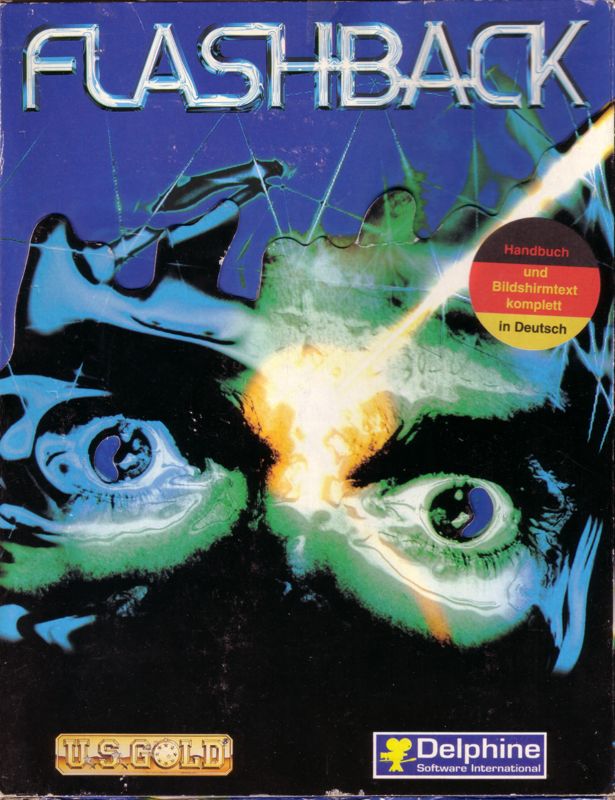
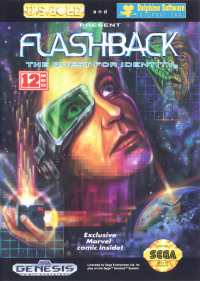
You play the part of Conrad Hart, controlling his every move through 7 levels. During your quest, you will come across friends and foes who you wish to help or vanquish using your gun.
You must complete many challenges in order to restore his lost memory. Each level features its own unique graphics and hazards, linked by cinematic animation sequences.
Getting Started
After the title screen appears, an animation sequence starts playing. Press the Play button to jump to the main menu.
Main Menu
Use the D-Pad to highlight an option, then press the A button to select the option.
•
Play/Pause: Press to start a new game.
•
Password Menu: Enter a password to start the game from the beginning of the level that the password corresponds to. Use the D-Pad to highlight a letter and select using the A button. The B button will backspace one space and erase one letter. The C button will clear all letters selected. When you have entered all the letters, press the Play button. If the password is incorrect, you will return to the main menu. At the start of each level, a new password will appear at the top of the screen. Write it down for easy reference.
•
Options Menu: Press the D-Pad Up/Down to select an option. Press the A button to change the setting.
•
Control Type: Choose from three different button configurations.
•
Language: Choose from English or French game text.
•
Difficulty: Choose from Easy, Normal, or Difficult.
•
Exit: Returns you to the main menu.
Summary of General Commands
•
D-Pad: Moves the character during the game.
•
Play Button: Opens and closes the inventory during the game. Shortens the animated scenes.
•
Recharge: Recharges your shield or cartridge.
•
Use: Inserts an object into a device meant for that purpose (e.g., insert a keycard into a card lock, a cartridge into a recharger). It will also give an object to someone. Inventory Menu
To open/close the inventory, press the Play button. At the start of the game, there are already several objects listed. As you 'take' items while progressing through each level, they will be added to your inventory.
At the end of each level, any unnecessary objects will be discarded and you may be given extra objects to help you complete the next level.
After opening up the inventory, use the D-Pad to highlight an object. Select the object and exit the inventory by pushing the Start button. The last selected object will now be moved to the beginning of the inventory. If you give away the object, the previously selected object becomes current again.
The current object is displayed at the top right-hand corner of the play screen.
Object List
Here are some of the objects which you may find in the course of the adventure:
•
Holocube: Contains important information.
•
Force Field: Creates an energy barrier which stops enemy shots.
•
Stone: Can be thrown or placed.
Taking Transportation
•
To call a taxi: Stand facing the taxi station and press button A.
•
To take the subway: Stand in the entry zone, wait for the train to arrive and press the A button. To get off at a station, press the A button.
Hazards
There are a variety of enemy and killer objects in the game. Destroy enemies with your gun. However, some killer objects cannot be destroyed. These objects are as follows:
•
Land Mine: Explodes when you pass over or near to it. An explosion destroys one shield. Avoid them by jumping over them.
•
Falling Mine: Explodes on contact with the ground, an object, or a character, etc. and destroys one shield. If any object passes beneath one of these mines it will cause it to fall.
If Conrad falls more than two floors, he loses his life. However, it is possible to stop him from falling if he is lucky enough to catch a side wall.
Hints and Tips
•
General Information: Before starting your quest, pick up the holocube and read the information. Get information from people you talk to. Search the screen for objects which may not be obvious at first glance.
•
Survival: Keep an eye on your shields, you may be closer to death than you think. Save the game regularly.
Level Overviews
•
Level 4 - Earth: Once on Earth, the aliens discover his true identity and try to liquidate him. After escaping, he finds his way to the aliens' headquarters. Conrad must face watchdogs, replicants, laser cameras, and rockets.
•
Hint: There are lots of secret passages in this club.
•
Level 5 - The Secret Base of "Paradise": In the Paradise Club, Conrad uncovers the aliens' plan to dominate the human race. Unfortunately, he is discovered by the aliens and captured.
-


.png)




 (En,Fr,De).png)



 (Alt 1).png)





.png)


